
GWT 2.5 RC - This documentation is for a release candidate of GWT 2.5. For the most recent
stable version, see GWT 2.4.
If you have a web server (Apache, IIS, etc.) installed locally and PHP installed, you can write a PHP script to generate stock data and make the call to your local server. What's important for this example is that the stock data is JSON-encoded and that the server is local.
-
Create a PHP script.In the Eclipse Package Explorer, select the
StockWatcher/warfolder.From the Eclipse menu bar, select File > New > File.In the New File window, enter the file namestockPrices.php<?php header('Content-Type: text/javascript'); header('Cache-Control: no-cache'); header('Pragma: no-cache'); define("MAX_PRICE", 100.0); // $100.00 define("MAX_PRICE_CHANGE", 0.02); // +/- 2% echo '['; $q = trim($_GET['q']); if ($q) { $symbols = explode(' ', $q); for ($i=0; $i<count($symbols); $i++) { $price = lcg_value() * MAX_PRICE; $change = $price * MAX_PRICE_CHANGE * (lcg_value() * 2.0 - 1.0); echo '{'; echo "\"symbol\":\"$symbols[$i]\","; echo "\"price\":$price,"; echo "\"change\":$change"; echo '}'; if ($i < (count($symbols) - 1)) { echo ','; } } } echo ']'; ?> -
Compile StockWatcher.Click the GWT Compile Project button in the toolbar
 or run the
 ant buildscript to create the production mode files for the application (which will now include stockPrices.php).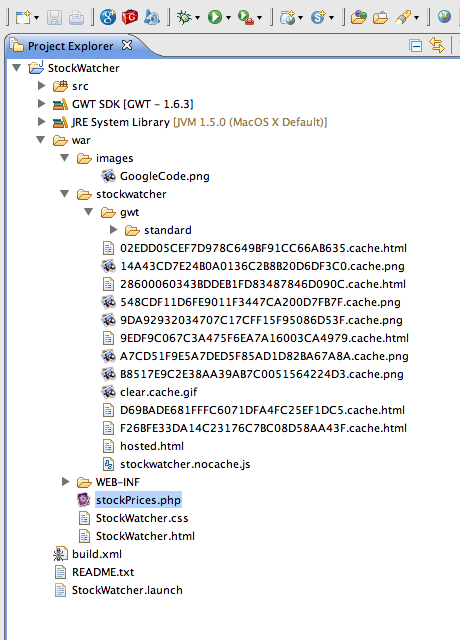
-
Move the compiled StockWatcher files in the StockWatcher/war directory to a /StockWatcher directory in whatever web server (Apache, IIS, etc.) you have installed locally which supports PHP. If you are not using Java servlets (e.g. GWT RPC), you will not have to move over the files in StockWatcher/war/WEB-INF
-
Test the stock quote server.In a web browser, navigate to
http://localhost/StockWatcher/stockPrices.php?q=ABC+DEFStockPrice data is returned in JSON format.[{"symbol":"ABC","price":40.485578668179,"change":-0.53944918844604}, {"symbol":"DEF","price":1.3606576154209,"change":0.0051755221198266}]
Now that you can retrieve JSON-encoded stock data from the server, continue with the next step in the JSON tutorial, Manipulating JSON data in the client-side code.
GWT 2.5 RC - This documentation is for a release candidate of GWT 2.5. For the most recent
stable version, see GWT 2.4.
Except as otherwise noted,
the content of this page is licensed under the Creative Commons
Attribution 3.0 License.