About GitHub Actions permissions for your enterprise account
By default, GitHub Actions is enabled in all organizations owned by an enterprise account. You can choose to disable GitHub Actions for all organizations owned by an enterprise account, or only allow specified organizations. You can also limit the use of public actions, so that people can only use local actions that exist in your organization.
Before you can configure code scanning for a repository, you must enable code scanning by adding a GitHub Actions workflow to the repository.
Managing GitHub Actions permissions for your enterprise account
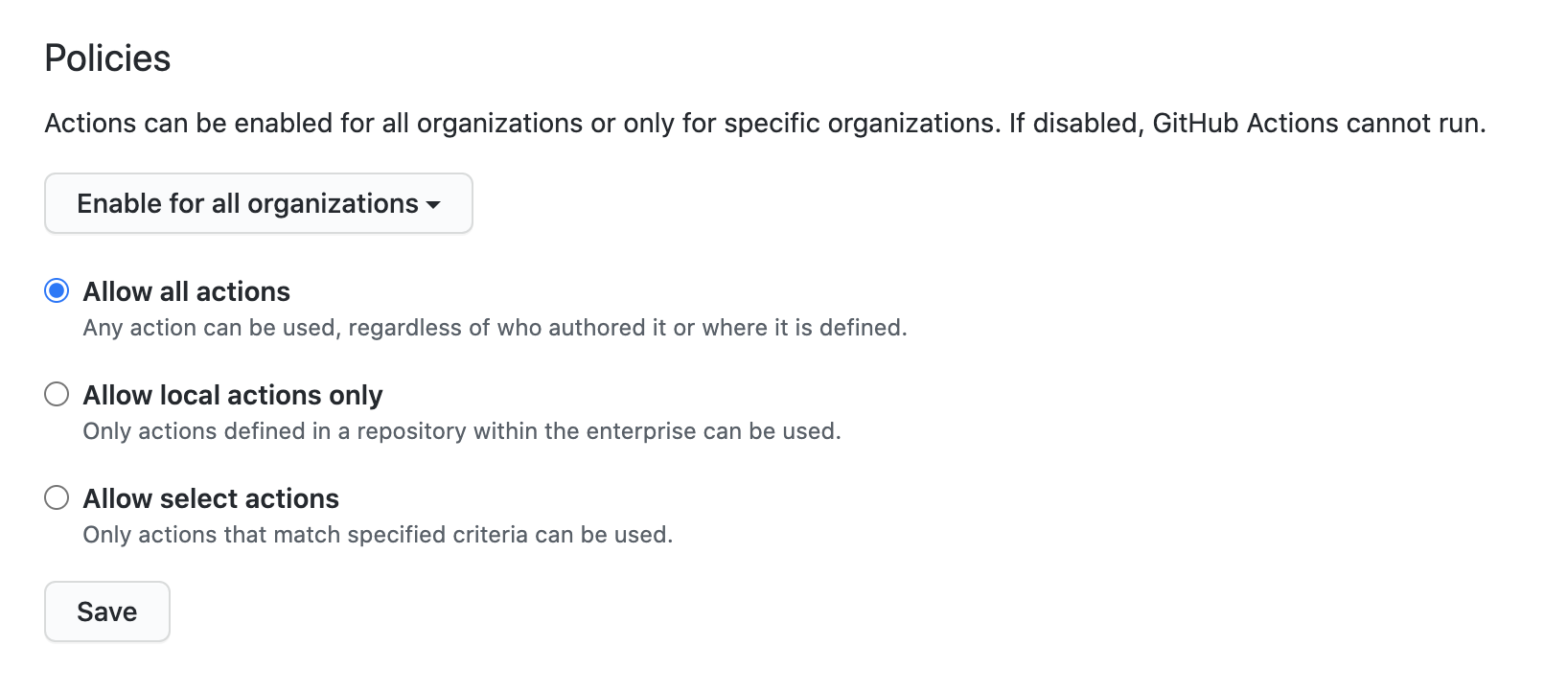
You can disable all workflows for an enterprise or set a policy that configures which actions can be used in an organization.
If you choose the option to Allow specific actions, there are additional options that you can configure. For more information, see "Allowing specific actions to run."
When you allow local actions only, the policy blocks all access to actions authored by GitHub. For example, the actions/checkout would not be accessible.
-
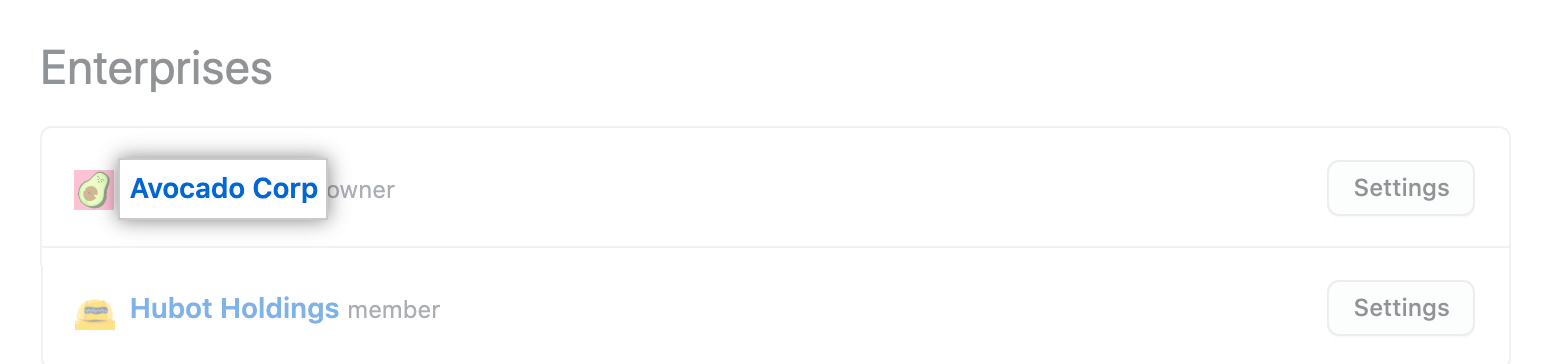
In the top-right corner of GitHub, click your profile photo, then click Your enterprises.

-
In the list of enterprises, click the enterprise you want to view.
-
Klicke auf der Seitenleiste des Enterprise-Kontos auf Policies (Richtlinien).

-
Under " Policies", click Actions.
-
Under "Policies", select an option.
-
Klicke auf Save (Speichern).
Allowing specific actions to run
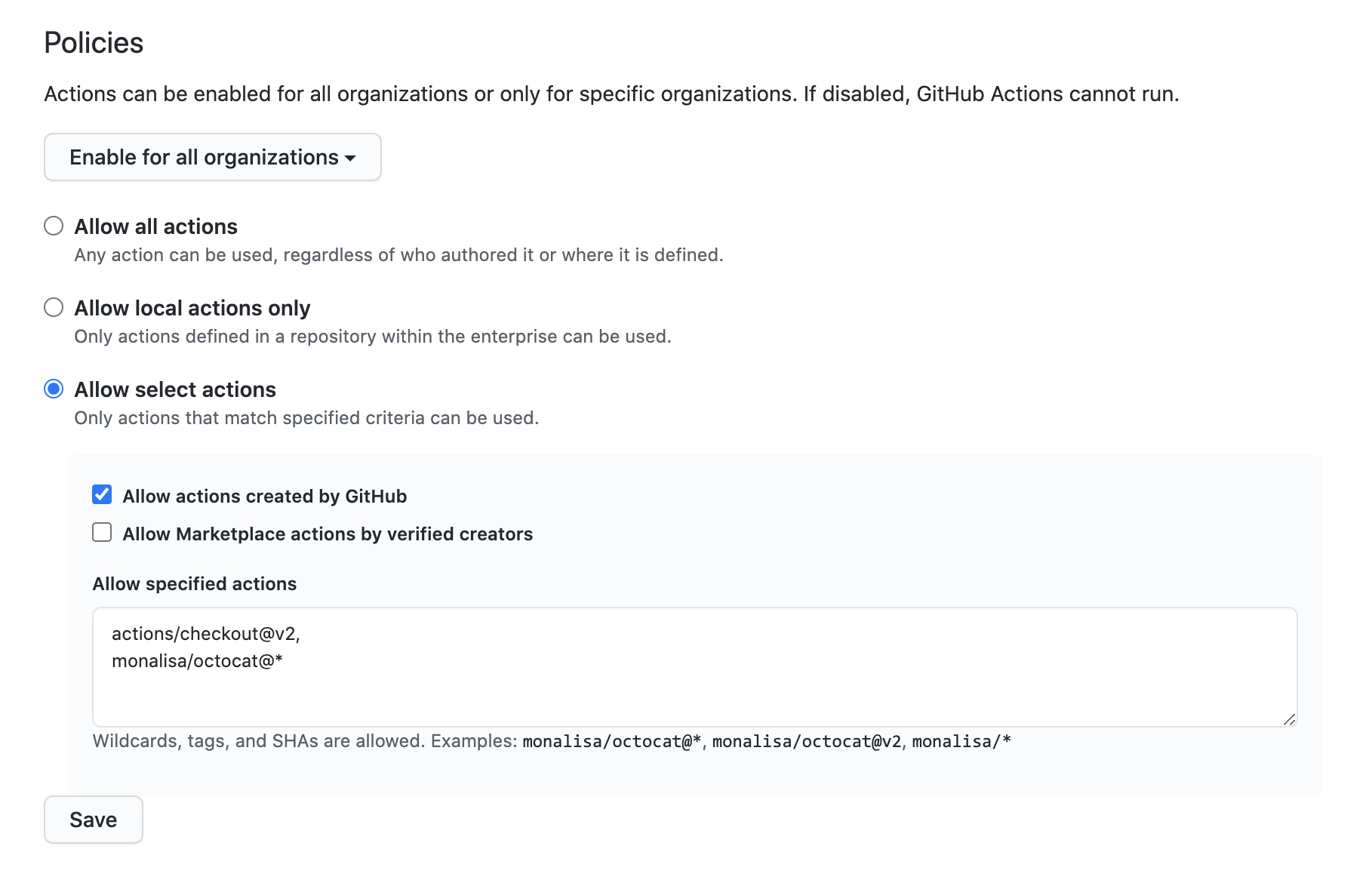
When you select the Allow select actions, there are additional options that you need to choose to configure the allowed actions:
-
Allow actions created by GitHub: You can allow all actions created by GitHub to be used by workflows. Actions created by GitHub are located in the
actionsandgithuborganization. For more information, see theactionsandgithuborganizations. -
Allow Marketplace actions by verified creators: You can allow all GitHub Marketplace actions created by verified creators to be used by workflows. When GitHub has verified the creator of the action as a partner organization, the badge is displayed next to the action in GitHub Marketplace.
-
Allow specified actions: You can restrict workflows to use actions in specific organizations and repositories.
To restrict access to specific tags or commit SHAs of an action, use the same
<OWNER>/<REPO>@<TAG OR SHA>syntax used in the workflow to select the action. For example,actions/javascript-action@v1.0.1to select a tag oractions/javascript-action@172239021f7ba04fe7327647b213799853a9eb89to select a SHA. For more information, see "Finding and customizing actions."You can use the
*wildcard character to match patterns. For example, to allow all actions in organizations that start withspace-org, you can specifyspace-org*/*. To add all actions in repositories that start with octocat, you can use*/octocat*@*. For more information about using the*wildcard, see "Workflow syntax for GitHub Actions."Note: The Allow specified actions option is only available in public repositories with the GitHub Free, GitHub Pro, GitHub Free for organizations, or GitHub Team plan.
This procedure demonstrates how to add specific actions to the allow list.
-
In the top-right corner of GitHub, click your profile photo, then click Your enterprises.
-
In the list of enterprises, click the enterprise you want to view.
-
Klicke auf der Seitenleiste des Enterprise-Kontos auf Policies (Richtlinien).
-
Under " Policies", click Actions.
-
Under Policies, select Allow specific actions and add your required actions to the list.
Enabling workflows for private repository forks
If you rely on using forks of your private repositories, you can configure policies that control how users can run workflows on pull_request events. Available to private repositories only, you can configure these policy settings for enterprise accounts, organizations, or repositories. For enterprise accounts, the policies are applied to all repositories in all organizations.
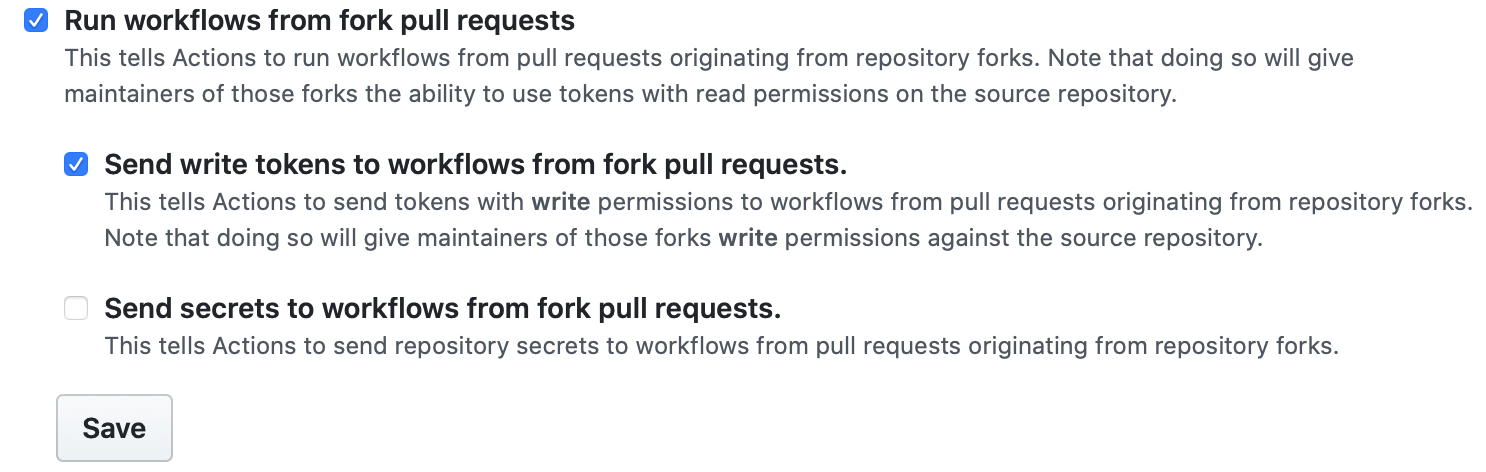
- Run workflows from fork pull requests - Allows users to run workflows from fork pull requests, using a
GITHUB_TOKENwith read-only permission, and with no access to secrets. - Send write tokens to workflows from pull requests - Allows pull requests from forks to use a
GITHUB_TOKENwith write permission. - Send secrets to workflows from pull requests - Makes all secrets available to the pull request.
Configuring the private fork policy for your enterprise account
-
In the top-right corner of GitHub, click your profile photo, then click Your enterprises.
-
In the list of enterprises, click the enterprise you want to view.
-
Klicke auf der Seitenleiste des Enterprise-Kontos auf Policies (Richtlinien).
-
Under " Policies", click Actions.
-
Under Fork pull request workflows, select your options. Ein Beispiel:
-
Click Save to apply the settings.