Anyone with admin permissions to a repository can enable force pushes.
About force pushes to protected branches
By default, force pushes are blocked on all protected branches. When you enable force pushes to a protected branch, anyone with at least write permissions to the repository can force push to the branch, including those with admin permissions.
Enabling force pushes will not override any other branch protection rules. For example, if a branch requires a linear commit history, you cannot force push merge commits to that branch.
您可以自动为仓库中的部分或所有分支设置实施受保护分支设置。 更多信息请参阅“配置受保护分支”。
Enabling force pushes
- 在 GitHub 上,导航到仓库的主页面。
- 在仓库名称下,单击 Settings(设置)。

- 在左侧菜单中,单击 Branches(分支)。

- 在“Branch protection rules(分支保护规则)”旁边,单击 Add rule(添加规则)。

- 在“Branch name pattern(分支名称模式)”下,输入您要保护的分支名称或模式。

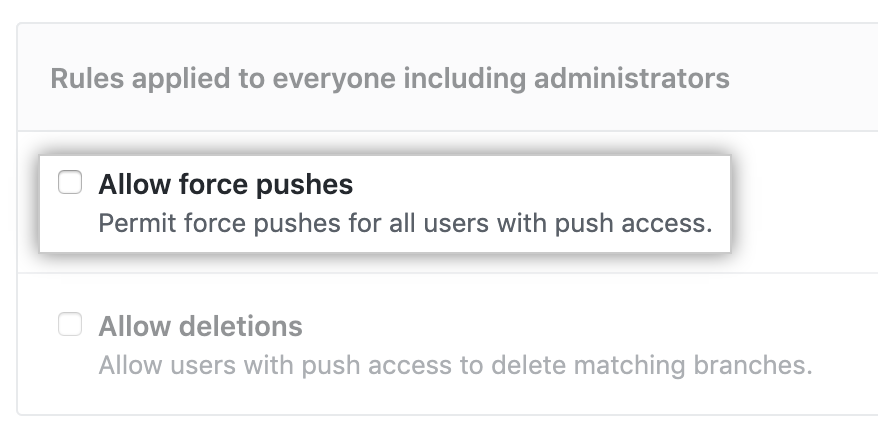
- Under "Rules applied to everyone including administrators", select Allow force pushes.
- Click Create.