Hallo, Entdecker! An dieser Seite wird aktiv gearbeitet, oder sie wird noch übersetzt. Die neuesten und genauesten Informationen findest Du in unserer englischsprachigen Dokumentation.

Configuring packages support for your enterprise

You can configure GitHub Packages for your enterprise by enabling or disabling each package ecosystem.

Did this doc help you?

Help us make these docs great!

All GitHub docs are open source. See something that's wrong or unclear? Submit a pull request.

Make a contribution

Oder, learn how to contribute.

Note: GitHub Packages is currently in beta for GitHub Enterprise Server 2.22. To join the beta for your instance, use the sign-up form.

You can enable or disable each package ecosystem for your instance. You can set an ecosystem you previously enabled to Read-Only to prevent new packages from being uploaded, while allowing existing packages to be downloaded.

To use GitHub Packages with Docker, you must have subdomain isolation enabled for your instance. For more information, see "Enabling subdomain isolation."

  1. Klicke in der oberen rechten Ecke einer beliebigen Seite auf .

    Raumschiffsymbol für den Zugriff auf die Einstellungen des Websiteadministrators
  2. Klicke auf der linken Seitenleiste auf Managementkonsole.
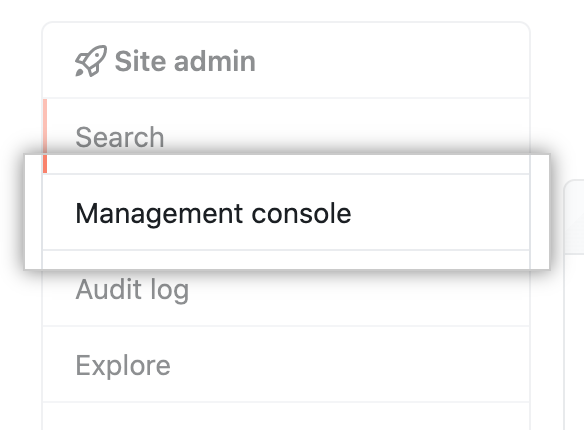
    Registerkarte „Managementkonsole" in der linken Seitenleiste
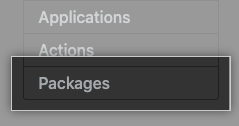
  3. In the left sidebar, click Packages.
    Packages tab in management console sidebar
  4. Under "Ecosystem Toggles", for each package type, select Enabled, Read-Only, or Disabled.
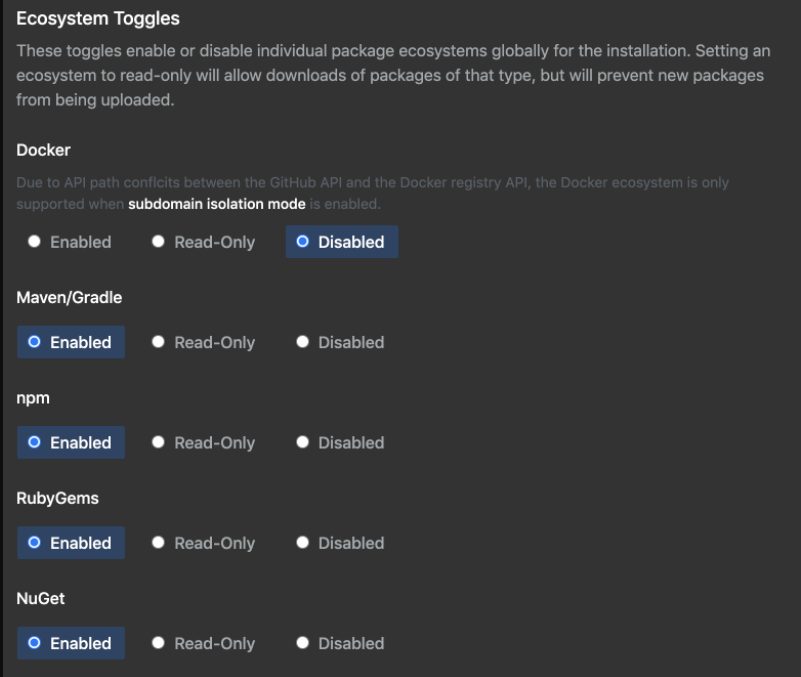
    Ecosystem toggles
  5. Klicke auf der linken Seitenleiste auf Save settings (Einstellungen speichern).
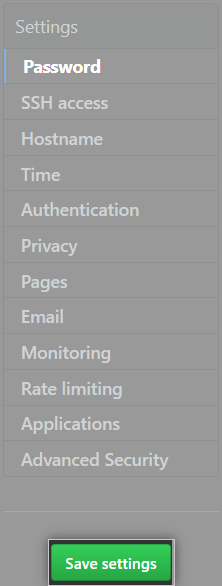
    Die Schaltfläche „Save settings“ (Einstellungen speichern) in der Managementkonsole
  6. Warten Sie auf den Abschluss der Konfigurationsausführung.

Did this doc help you?

Help us make these docs great!

All GitHub docs are open source. See something that's wrong or unclear? Submit a pull request.

Make a contribution

Oder, learn how to contribute.