E-Mail-Adresse für die Abrechnung für Dein persönliches Konto festlegen
GitHub sendet Quittungen und andere Benachrichtigungen zu Ihrer Abrechnung an die primäre E-Mail-Adresse Ihres persönlichen Kontos.
Deine primäre E-Mail-Adresse ist die erste E-Mail-Adresse, die in den E-Mail-Einstellungen Deines Kontos aufgeführt ist. Die primäre E-Mail-Adresse Deines Kontos wird auch als E-Mail-Adresse für die Abrechnung verwendet.
Informationen zur Änderung Deiner E-Mail-Adresse für die Abrechnung findest Du unter „Primäre E-Mail-Adresse ändern.“
E-Mail-Adresse für die Abrechnung für Deiner Organisation festlegen
GitHub sendet Quittungen und andere Benachrichtigungen zu Ihrer Abrechnung an die für Ihre Organisation festgelegte E-Mail-Adresse für die Abrechnung.
Nur Organisationsmitglieder mit der Rolle Owner (Inhaber) oder Billing Manager (Abrechnungsmanager) können auf die Abrechnungseinstellungen Deiner Organisation zugreifen oder diese ändern.
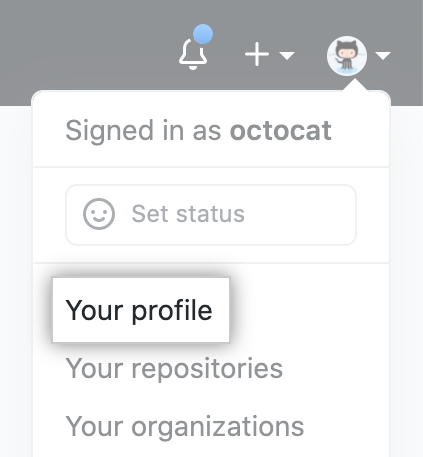
- In der oberen rechten Ecke von GitHub klicke auf Dein Profilfoto und dann auf your profile (Dein Profil).
- Klicke auf der linken Seite Deiner Profilseite unter „Organizations" (Organisationen) auf das Symbol für Deine Organisation.

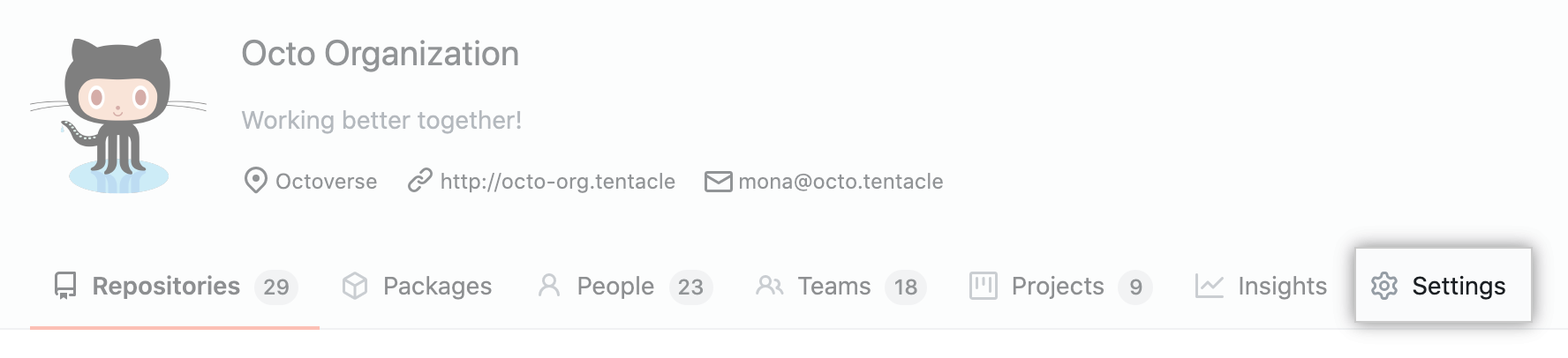
- Klicke unter Deinem Organisationsnamen auf Settings (Einstellungen).
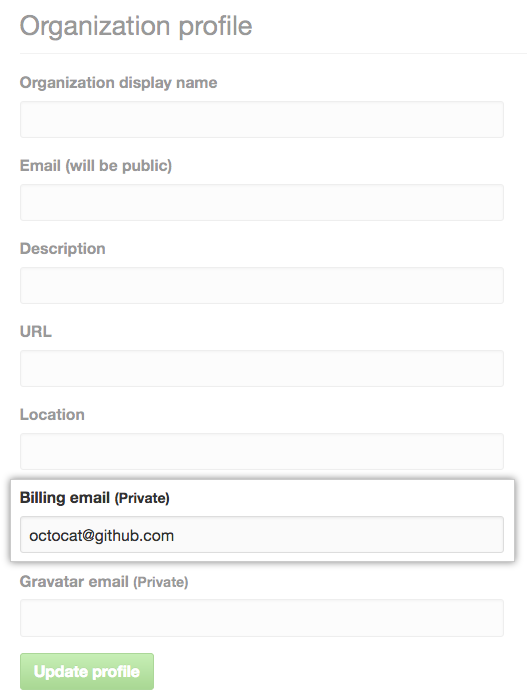
- Gib unter Billing email (E-Mail-Adresse für die Abrechnung) eine gültige E-Mail-Adresse ein. Diese Adresse kann innerhalb Deiner Organisation auch für weitere Zwecke eingesetzt werden.
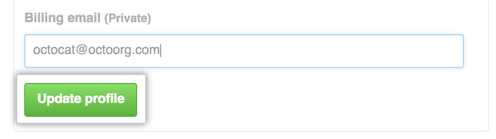
- Klicke zur Bestätigung Deiner Änderungen auf Update profile (Profil aktualisieren).
Managing additional recipients for your organization's billing email
If you have users that want to receive billing reports, you can add their email addresses as billing email recipients. This feature is only available to organizations that are not managed by an enterprise.
Adding a recipient for billing notifications
- Navigiere auf GitHub zur Hauptseite der Organisation.
- Klicke unter Deinem Organisationsnamen auf Settings (Einstellungen).
- Klicke auf Billing (Abrechnung) in der Seitenleiste mit den Einstellungen Deiner Organisation.

- Under "Billing management", to the right of "Email recipients", click Add.

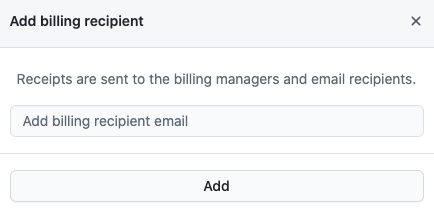
- Type the email address of the recipient, then click Add.
Changing the primary recipient for billing notifications
One address must always be designated as the primary recipient. The address with this designation can't be removed until a new primary recipient is selected.
- Navigiere auf GitHub zur Hauptseite der Organisation.
- Klicke unter Deinem Organisationsnamen auf Settings (Einstellungen).
- Klicke auf Billing (Abrechnung) in der Seitenleiste mit den Einstellungen Deiner Organisation.
- Under "Billing management", find the email address you want to set as the primary recipient.
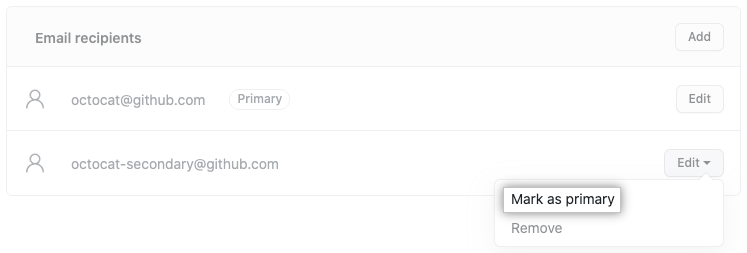
- To the right of the email address, use the "Edit" drop-down menu, and click Mark as primary.
Removing a recipient from billing notifications
- Navigiere auf GitHub zur Hauptseite der Organisation.
- Klicke unter Deinem Organisationsnamen auf Settings (Einstellungen).
- Klicke auf Billing (Abrechnung) in der Seitenleiste mit den Einstellungen Deiner Organisation.
- Under "Email recipients", find the email address you want to remove.
- For the user's entry in the list, click Edit.

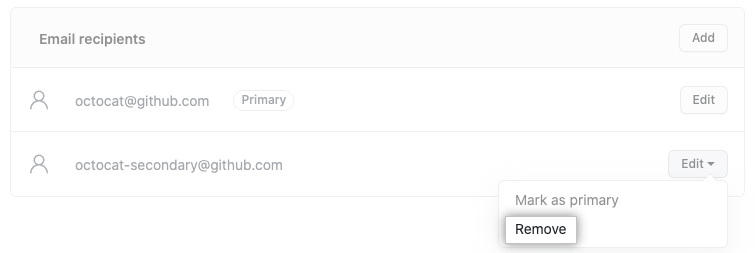
- To the right of the email address, use the "Edit" drop-down menu, and click *Remove**.
- Review the confirmation prompt, then click Remove.