Über Änderungen der Repository-Sichtbarkeit
Organisationsinhaber können die Möglichkeit, die Sichtbarkeit des Repositorys zu ändern, auf Organisationsinhaber einschränken. Weitere Informationen findest Du unter „Einschränken von Änderungen der Repository-Sichtbarkeit in Deiner Organisation."
We recommend reviewing the following caveats before you change the visibility of a repository.
Repository als privat festlegen
- GitHub will detach public forks of the public repository and put them into a new network. Öffentliche Forks werden nicht in private Forks umgewandelt. If you change a repository's visibility from internal to private, GitHub will remove forks that belong to any user without access to the newly private repository. For more information, see "What happens to forks when a repository is deleted or changes visibility?"
- If you're using GitHub Free for user accounts or organizations, some features won't be available in the repository after you change the visibility to private. For more information, see "GitHub's products."
- Jede veröffentlichte GitHub Pages-Website wird automatisch zurückgezogen. Wenn Sie Ihrer GitHub Pages-Website eine benutzerdefinierte Domain hinzugefügt hatten, sollten Sie Ihre DNS-Einträge vor der Umschaltung des Repositorys in ein privates Repository entfernen oder aktualisieren, um das Risiko eines Domain-Takeovers auszuschließen. Weitere Informationen findest Du unter „Eine benutzerdefinierte Domäne für Deine GitHub Pages-Website verwalten.“
- GitHub will no longer included the repository in the GitHub Archive-Programm. For more information, see "About archiving content and data on GitHub."
Repository als öffentlich festlegen
- GitHub will detach private forks and turn them into a standalone private repository. Weitere Informationen findest Du unter „Was geschieht mit Forks, wenn ein Repository gelöscht wird oder sich dessen Sichtbarkeit ändert?.“
- If you're converting your private repository to a public repository as part of a move toward creating an open source project, see the Open Source Guides for helpful tips and guidelines. You can also take a free course on managing an open source project with GitHub Learning Lab. Sobald Dein Repository der Öffentlichkeit zugänglich ist, kannst Du im Community-Profil des Repositorys überprüfen, ob Dein Projekt die Best Practices zur Unterstützung von Mitarbeitern erfüllt. Weitere Informationen finden Sie unter „Community-Profil anzeigen“.
Changing a repository's visibility
- Navigiere in GitHub zur Hauptseite des Repository.
- Klicke unter Deinem Repository-Namen auf Settings (Einstellungen).

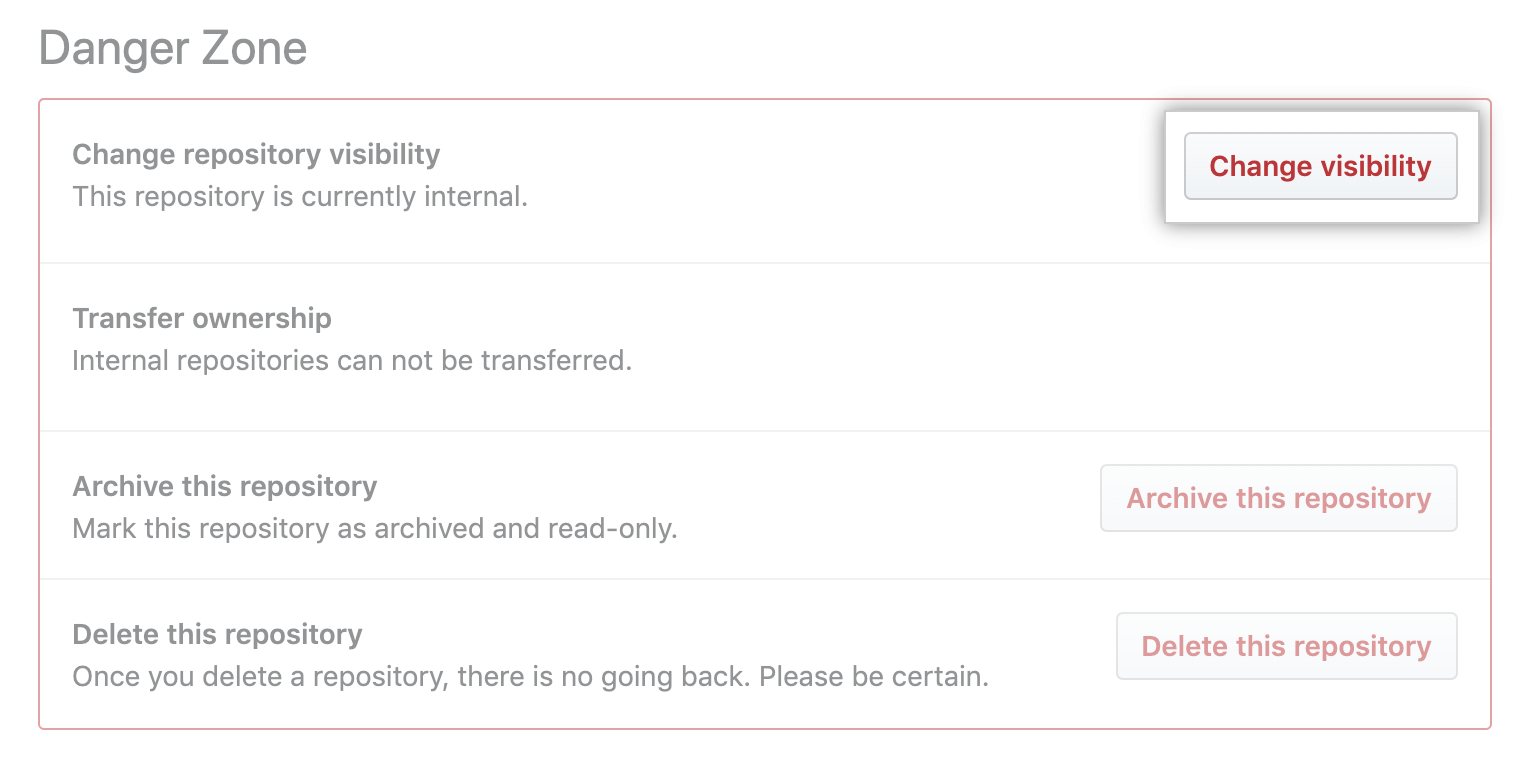
- Under "Danger Zone", to the right of to "Change repository visibility", click Change visibility.
- Select a visibility.
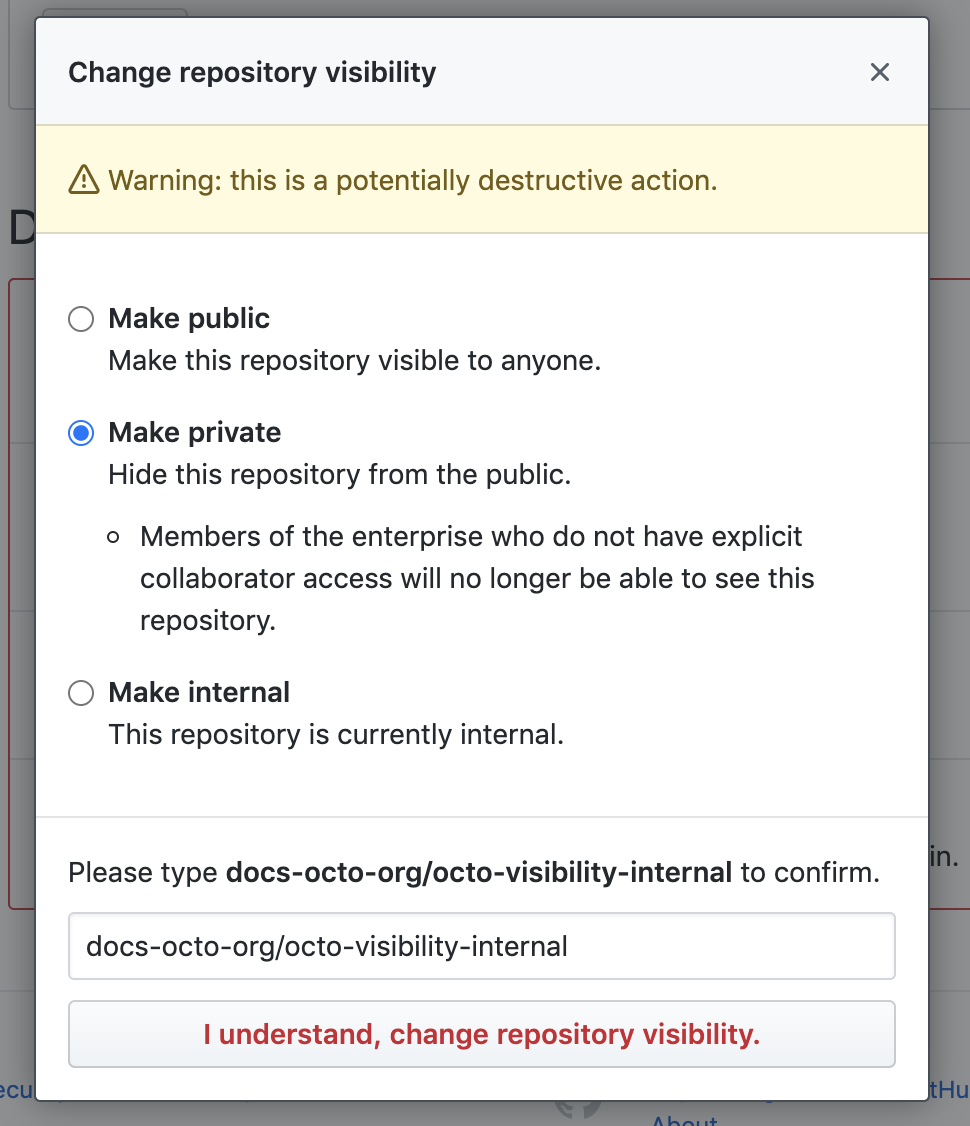
- To verify that you're changing the correct repository's visibility, type the name of the repository you want to change the visibility of.
- Click I understand, change repository visibility.