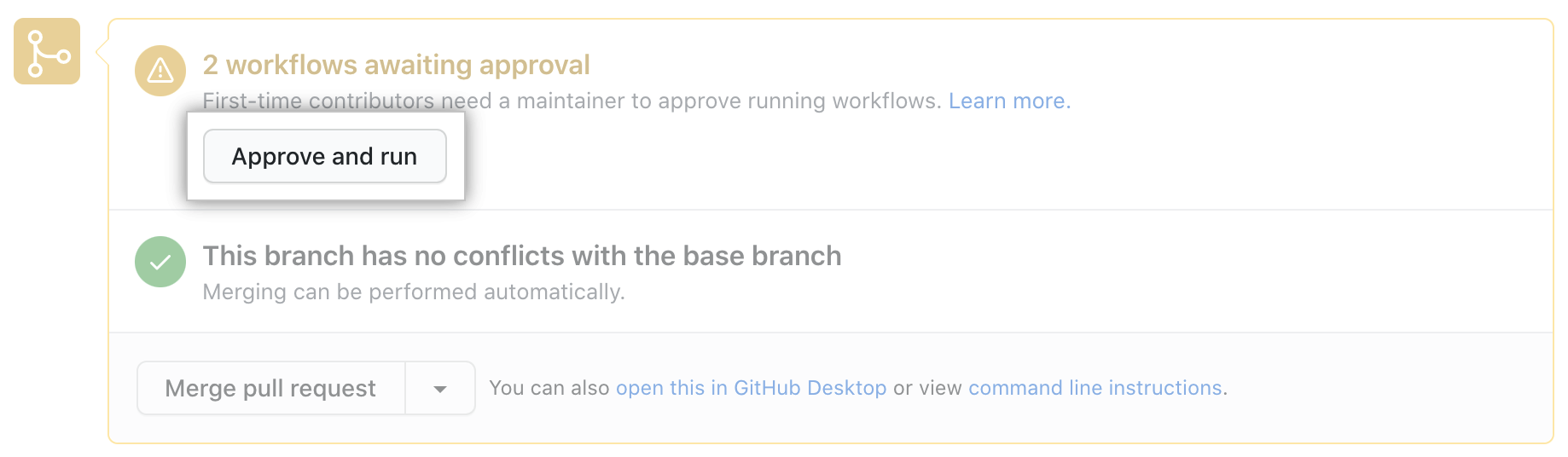
Forks of public repositories can submit pull requests that propose changes to a repository's GitHub Actions workflows. Although workflows from forks do not have access to sensitive data such as secrets, they can be an annoyance for maintainers if they are modified for abusive purposes. To help prevent this, workflows on pull requests are not run automatically if they are received from first-time contributors, and must be approved first.
Maintainers with write access to the repository can use the following procedure to review and run workflows on pull requests from first-time contributors. After a contributor has at least one pull request merged into a project's repository, any future pull requests from that contributor's fork will automatically run workflows.
- Klicken Sie unter dem Namen des Repositorys auf
Pull requests.

- Klicke in der Liste der Pull Requests auf den Pull Request, den Du überprüfen möchtest.
- On the pull request, click Files changed.
 1. Inspect the proposed changes in the pull request and ensure that you are comfortable running your workflows on the pull request branch. You should be especially alert to any proposed changes in the
 .github/workflows/ directory that affect workflow files.
1. If you are comfortable with running workflows on the pull request branch, return to the Conversation tab, and under "Workflow(s) awaiting approval", click Approve and run.