Note: Codespaces is currently in limited public beta and subject to change. For more information about joining the beta, see "About Codespaces."
About user permissions for Codespaces
Organization owners can control which users in your organization can create and use codespaces.
To use codespaces in your organization, your users must have at least write access to the repositories where they want to use a codespace. You can enable codespaces for all users in your organization, or only specific users.
By default, a codespace can only access the repository where it was created. If you want codespaces in your organization to be able to access other organization repositories that the codespace creator can access, see "Managing access and security for Codespaces."
Configuring which users in your organization can use Codespaces
-
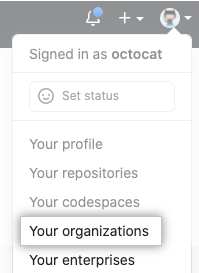
In the top right corner of GitHub, click your profile photo, then click Your organizations.
-
Next to the organization, click Settings.

-
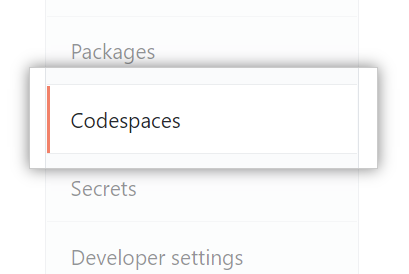
In the left sidebar, click Codespaces.
-
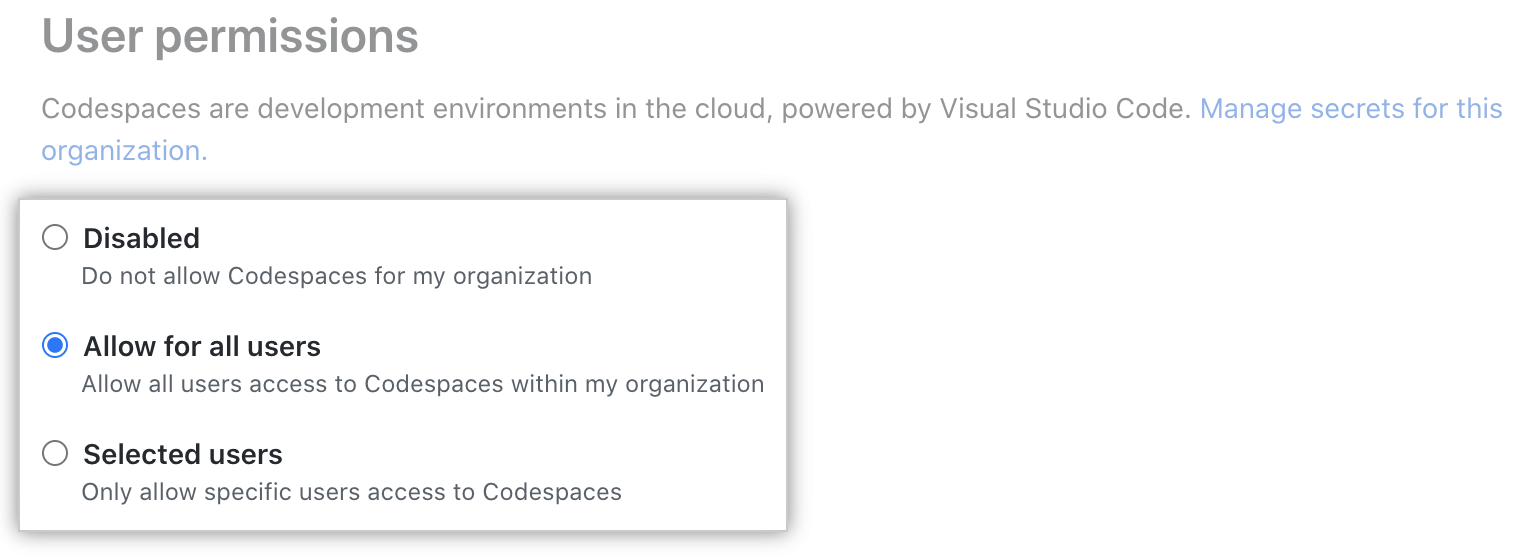
Under "User permissions", select one of the following options:
- Disabled to not allow any organization members to use Codespaces.
- Allow for all users to allow all your organization members to use Codespaces.
- Selected users to select specific organization members to use Codespaces.