リポジトリの可視性の変更について
Organization のオーナーは、リポジトリの可視性を変更する機能を Organization のオーナーのみに制限できます。 For more information, see "Restricting repository visibility changes in your organization."
リポジトリの可視性を変更する前に、次の注意点を確認することをお勧めします。
リポジトリをプライベートにする
- If you change a repository's visibility from internal to private, GitHub will remove forks that belong to any user without access to the newly private repository. If the internal repository has any forks, the visibility of the forks is already private. For more information, see "What happens to forks when a repository is deleted or changes visibility?"
- Any published GitHub Pages site will be automatically unpublished.
リポジトリをインターナルにする
注釈: インターナルリポジトリはGitHub Enterprise Cloud、GitHub AE、GitHub Enterprise Server 2.20+で利用できます。 詳しい情報については「GitHubの製品」を参照してください。
- Any forks of the repository will remain in the repository network, and GitHub AE maintains the relationship between the root repository and the fork. For more information, see "What happens to forks when a repository is deleted or changes visibility?"
リポジトリの可視性を変更する
- GitHub AEで、リポジトリのメインページにアクセスしてください。
- リポジトリ名の下で Settings(設定)をクリックしてください。

- [Danger Zone] の [Change repository visibility] の右側にある [Change visibility] をクリックします。
![[Change visibility] ボタン](/web/20210725210746im_/https://docs.github.com/assets/images/help/repository/repo-change-vis.png)
- Select a visibility.
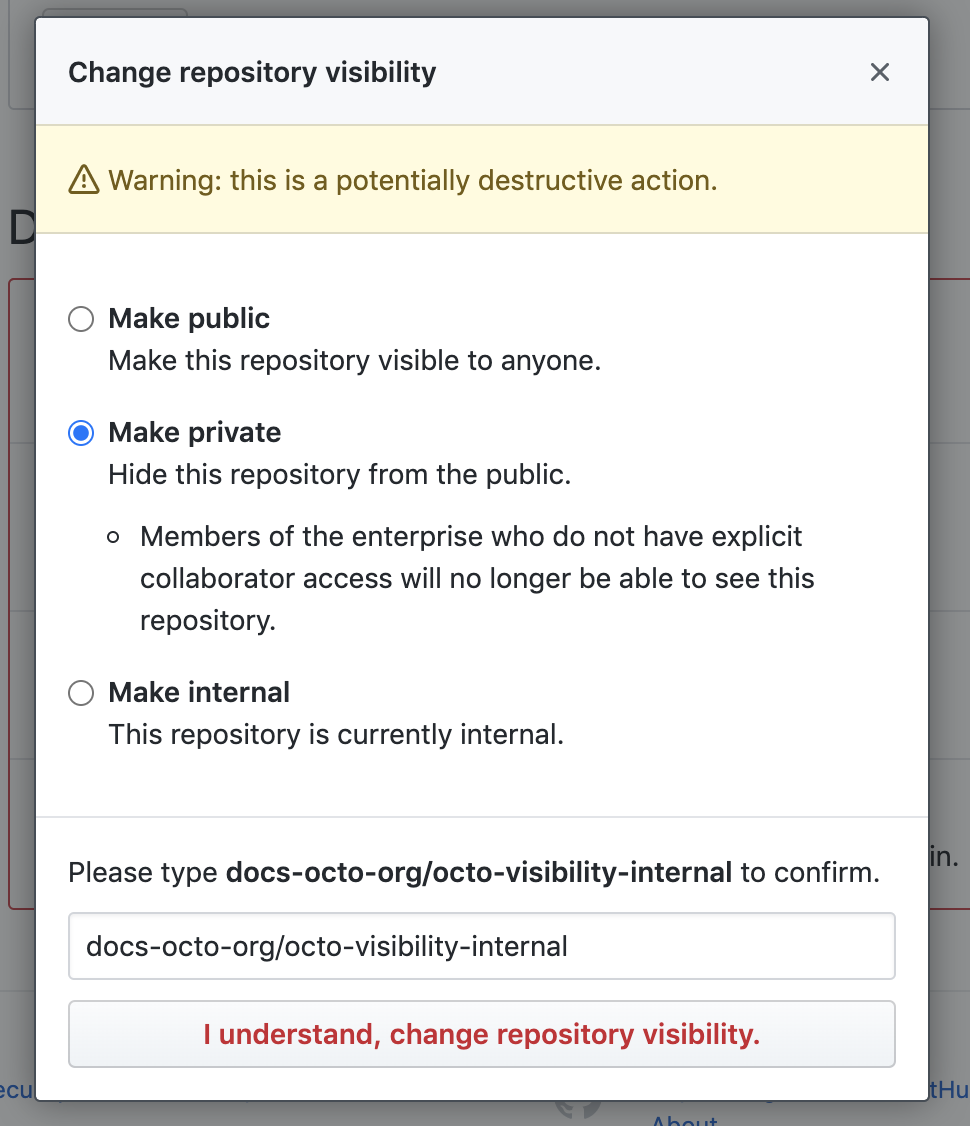 5. 正しいリポジトリの可視性を変更していることを確認するには、可視性を変更するリポジトリの名前を入力します。
6. [I understand, change repository visibility] をクリックします。
5. 正しいリポジトリの可視性を変更していることを確認するには、可視性を変更するリポジトリの名前を入力します。
6. [I understand, change repository visibility] をクリックします。
