-
On GitHub.com, navigate to the main page of the repository.
-
Under your repository name, click Actions.

-
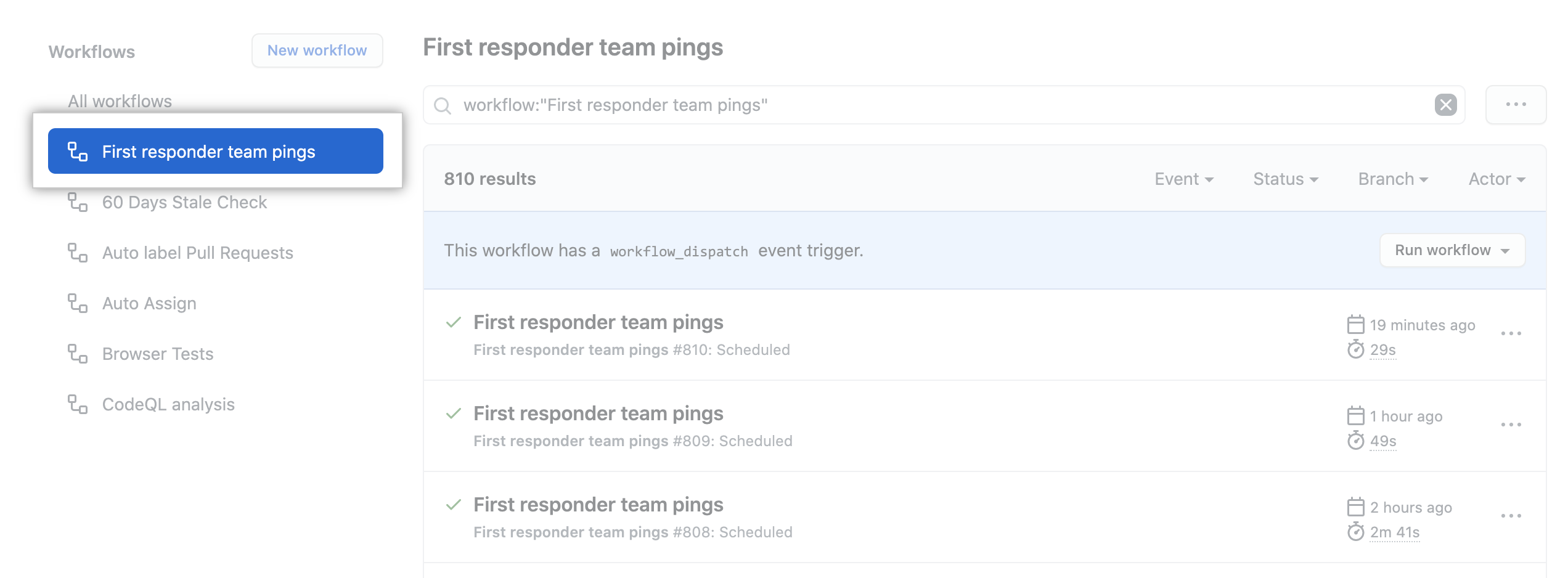
In the left sidebar, click the workflow you want to see.
-
From the list of workflow runs, click the name of the run you want to see.

-
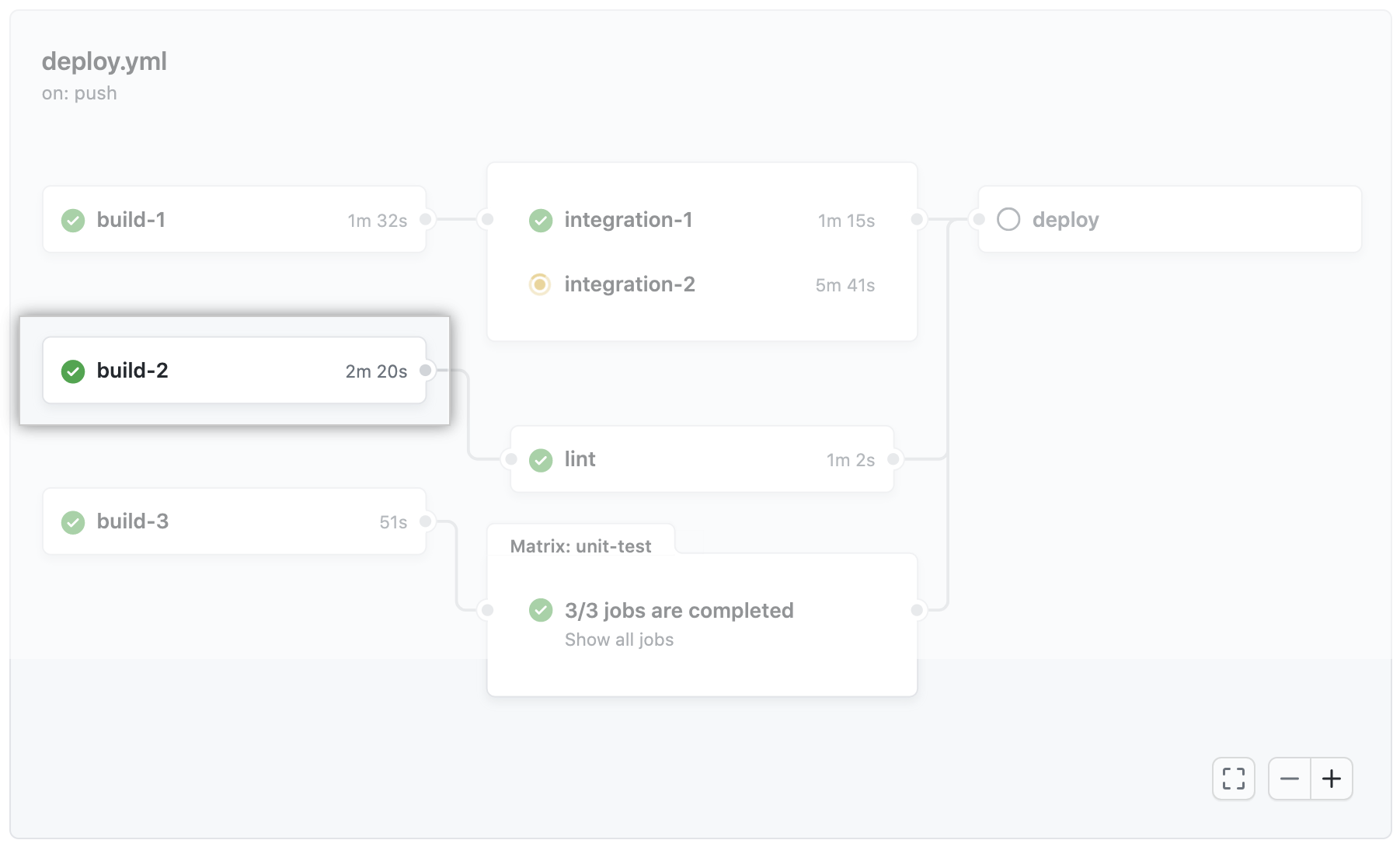
The graph displays each job in the workflow. An icon to the left of the job name indicates the status of the job. Lines between jobs indicate dependencies.

-
Click on a job to view the job log.
English
GitHub Actions
Free, Pro, & Team
English
Using the visualization graph
Every workflow run generates a real-time graph that illustrates the run progress. You can use this graph to monitor and debug workflows.
Help us make these docs great!
All GitHub docs are open source. See something that's wrong or unclear? Submit a pull request.
Make a contribution