デフォルト設定では、Codespace は作成されたリポジトリにのみアクセスできます。 When you enable access and security for a repository owned by your organization, any codespaces that are created for that repository will also have read permissions to all other repositories the organization owns and the codespace creator has permissions to access. If you want to restrict the repositories a codespace can access, you can limit it to either the repository where the codespace was created, or to specific repositories. 信頼するリポジトリに対してのみ、アクセスとセキュリティを有効にしてください。
Organization 内のどのユーザが Codespaces を使用できるかを管理するには、「Organization のユーザ権限を管理する」を参照してください。
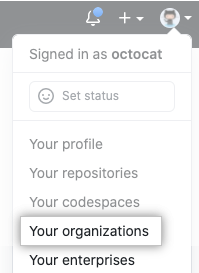
- In the top right corner of GitHub.com, click your profile photo, then click Your organizations.
- Organizationの隣のSettings(設定)をクリックしてください。

- In the left sidebar, click Codespaces.
- [Access and security] で、あなたの Organization の設定を選択します。
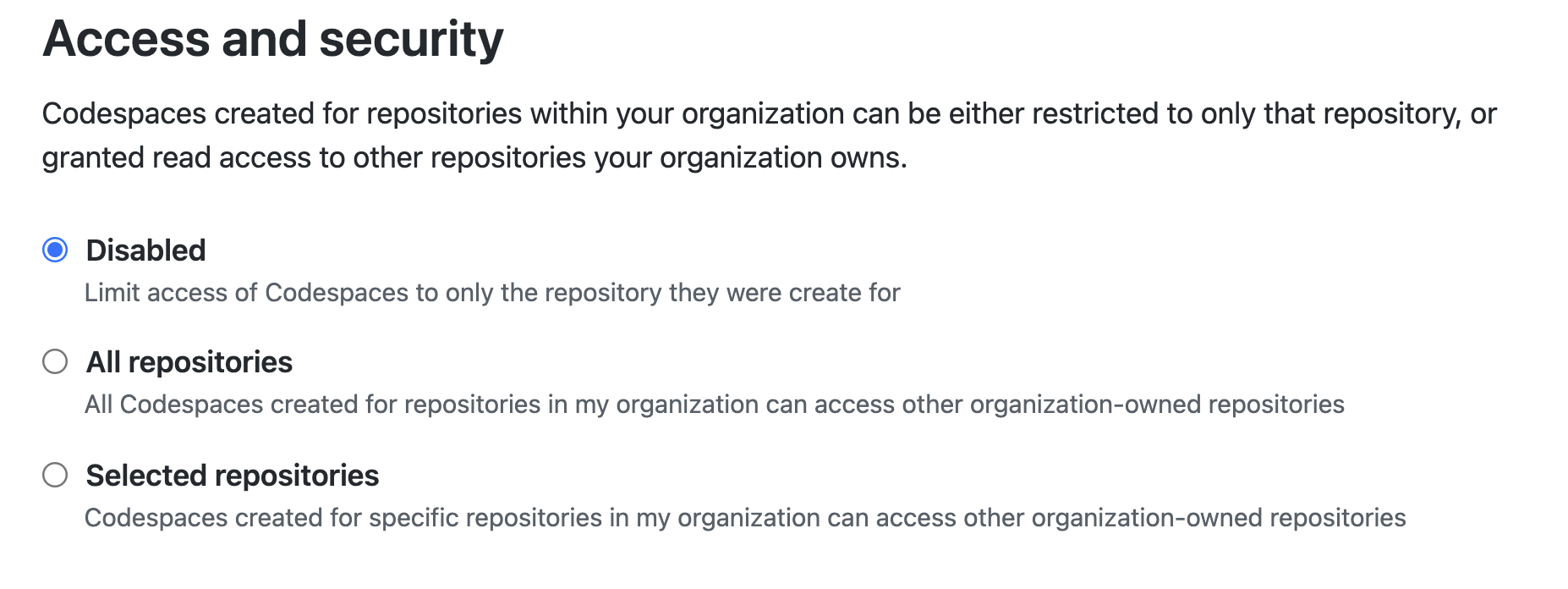
- [Selected repositories] を選択した場合、ドロップダウンメニューを選択してから、あなたの Organization が所有するその他のリポジトリにアクセスを許可する、リポジトリのコードスペースをクリックします。 その他のリポジトリにコードスペースによるアクセスを許可したい、すべてのリポジトリについて同じ手順を繰り返します。
![[Selected repositories]ドロップダウンメニュー](/web/20220303012605im_/https://docs.github.com/assets/cb-27219/images/help/settings/codespaces-access-and-security-repository-drop-down.png)