每个仓库甚至每个分支可创建多个代码空间。 However, each user account has a limit of 10 codespaces. 如果您已达到上限,想要创建一个新的代码空间,必须先删除一个旧代码空间。
注意:只有创建代码空间的人才能将其删除。 目前,组织所有者无法删除其组织内创建的代码空间。
-
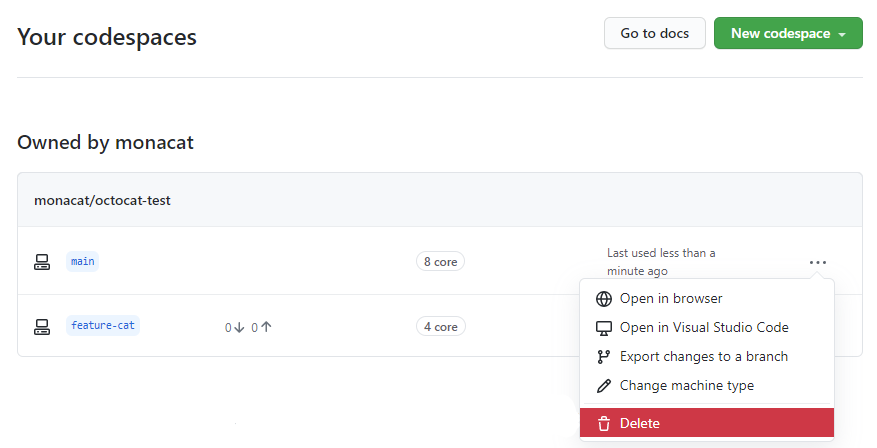
导航到 github.com/codespaces 上的“您的代码空间”页面。
-
在要删除的代码空间的右侧,单击 ,然后单击 Delete(删除)
-
在“Codespaces(代码空间)”下,右键点击您要删除的代码空间。
-
在下拉菜单中,单击 Delete Codespace(删除代码空间)。

要了解有关 GitHub CLI 的更多信息,请参阅“关于 GitHub CLI”。
To delete a codespace use the gh codespace delete subcommand and then choose a codespace from the list that's displayed.
gh codespace deleteIf you have unsaved changes, you'll be prompted to confirm deletion. You can use the -f flag to force deletion, avoiding this prompt.
For more information about this command, see the GitHub CLI manual.