Tip: If you want to cancel your paid subscription, you can downgrade your organization to GitHub Free instead of deleting the organization and its content.
1. Back up your organization content
Once you delete an organization, GitHub cannot restore your content. Therefore, before you delete your organization, make sure you have a copy of all repositories, wikis, issues, and project boards from the account.
2. Delete the organization
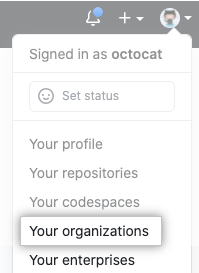
- En la esquina superior derecha de GitHub.com, haz clic en tu foto de perfil y luego en Tus organizaciones.
- Junto a la organización, haz clic en Configuración.

- Near the bottom of the organization's settings page, click Delete this Organization.
