By default, new organizations are configured to disallow the forking of private repositories.
If you allow forking of private repositories at the organization level, you can also configure the ability to fork a specific private repository. For more information, see "Managing the forking policy for your repository."
- En la esquina superior derecha de GitHub.com, haz clic en tu foto de perfil y luego en Tus organizaciones.
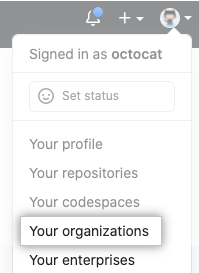
- Junto a la organización, haz clic en Configuración.

- Under "Repository forking", select Allow forking of private repositories.

- Click Save.