Run Office Scripts in Excel with buttons
Help your colleagues find and run your scripts by adding script buttons to a workbook.
Create script buttons
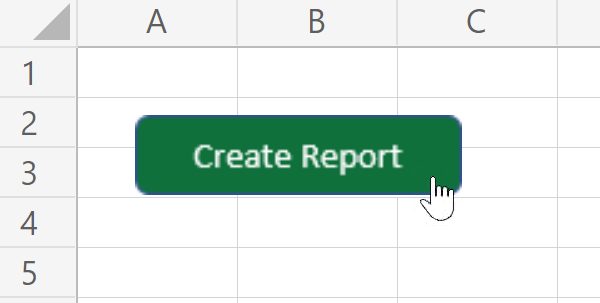
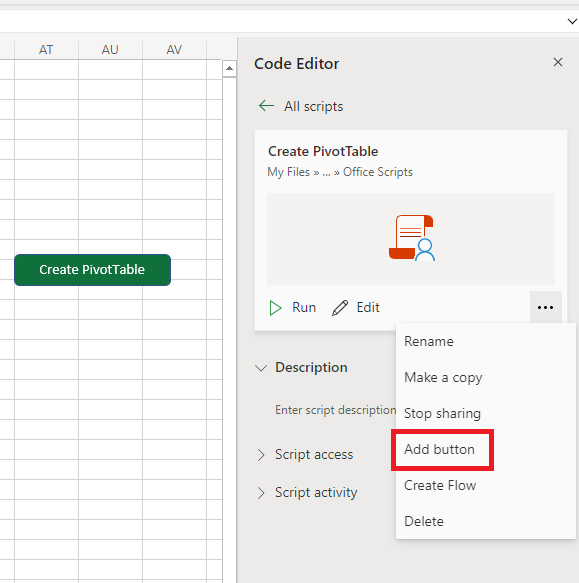
With any script, go to the More options (…) menu in either the script's details page or the Code Editor's task pane and select Add button. This creates a button in the workbook that runs the associated script when selected. It also shares the script with the workbook, so everyone with write permissions to the workbook can use your helpful automation.
The following screenshot shows the script details page for a script titled Create PivotTable and has the Add button option within the More options (…) menu highlighted.
Remove script buttons
To stop sharing a script through a button, go to the More options (…) menu in the script details page and select Stop sharing. This removes all the buttons that run the script. Deleting a single button removes the script from that one button, even if the operation is undone or the button is cut and pasted.
Script buttons with Excel on Windows
These script buttons also work on Windows. Create the button in Excel on the web and users on Windows can run your script with the click of a button. Please note that you cannot edit scripts in Excel on Windows. You can only edit scripts in Excel on the web.
Some Office Scripts APIs may not be supported by Excel on Windows, especially older builds. These include newer APIs and APIs for web-only features. If a script contains unsupported APIs, the script doesn't run and, instead, the Script Run Status task pane displays a warning message that says, "This script currently must be run on Excel for the web. Open the workbook in the browser then try again, or contact the script owner for help."
Important
Script buttons require WebView2 to work with Excel on Windows. This is installed by default with the latest versions of Excel on Desktop, but if you're unable to click scripts buttons, visit Download the WebView2 Runtime and download the browser engine.
Feedback
Submit and view feedback for