Applications and services
Applications and the data associated with them ultimately act as the primary store of business value on a cloud platform. While the platform components like identity and storage are critical elements of the security environment, applications play an outsize role in risks to the business because:
Business Processes are encapsulated and executed by applications and services need to be available and provided with high integrity
Business Data is stored and processed by application workloads and requires high assurances of confidentiality, integrity, and availability.
This section focuses on applications written by your organization or by others on behalf of your organization vs. SaaS or commercially available applications installed on IaaS VMs.

Modern cloud platforms like Azure can host both legacy and modern generations of applications
Legacy applications are hosted on Infrastructure as a Service (IaaS) virtual machines that typically include all dependencies including OS, middleware, and other components.
Modern Platform as a Service (PaaS) applications don’t require the application owner to manage and secure the underlying server operating systems (OSes) and are sometimes fully “Serverless” and built primarily using functions as a service.
Notes: Popular forms of modern applications are application code hosted on Azure App Services and containerized applications (though containers can also be hosted on IaaS VMs or on-premises as well).
Hybrid – While hybrid applications can take many forms, the most common is an “IaaS plus” state where legacy applications are transitioning to a modern architecture with modern services replacing legacy components or being added a legacy application.
Securing an application requires security assurances for three different component types:
Application Code – This is the logic that defines the custom application that you write. The security of this code is the application owners’ responsibility in all generations of application architecture including any open-source snippets or components included in the code. Securing the code requires identifying and mitigating risks from the design and implementation of the application as well as assessing supply chain risk of included components. Note that the evolution of applications into microservices architectures will break various aspects of application code into smaller services vs. a single monolithic codebase.
Application Services – These are the various standardized components that the application uses such as databases, identity providers, event hubs, IoT device management, and so on. For cloud services this is a shared responsibility:
Cloud Provider - The security of the underlying service is the responsibility of the cloud provider
Application Owner - The application owner is responsible for security implications of the configuration and operation of the service instance(s) used by the application including any data stored and processed on the service.
Application Hosting Platform – This is the computing environment where the application actually executes and runs. In an enterprise with applications hosted on premises, in Azure and in third-party clouds like Amazon Web Services (AWS), this could take many forms with significant variations on who is responsible for security:
Legacy Applications typically require a full operating system (and any middleware) hosted on physical or virtualized hardware. The virtual hardware can be hosted on premises or on Infrastructure as a Service (IaaS) VMs. This operating system and installed middleware/other components are operated and secured by the application owner or their infrastructure team(s).
The responsibility for the physical hardware and OS virtualization components (virtualization hosts, operating systems, and management services) varies:On premises - The application owner or their organization is responsible for maintenance and security.
IaaS – The cloud provider is responsible for maintenance and security of the underlying infrastructure and the application owner’s organization is responsible for the VM configuration, operating system, and any components installed on it.
Modern Applications are hosted on Platform as a Service (PaaS) environments such as an Azure application service. In most application service types, the underlying operating system is abstracted from the application owner and secured by the cloud provider. Application owners are responsible for the security of the application service configurations that are provided to them.
Containers are an application packaging mechanism in which applications are abstracted from the environment in which they run. These containerized applications fit into either the legacy or modern models above depending on whether they are run on a container service by the cloud provider (Modern Applications) or on a server managed by the organization (on premises or in IaaS). See the container security section below for more details.
Identify and classify business critical applications
Ensure you have identified and classified the applications in your portfolio that are critical to business functions.
Enterprise organizations typically have a large application portfolio, so prioritizing where to invest time and effort into manual and resource-intensive tasks like threat modeling can increase the effectiveness of your security program.
Identify applications that have a high potential impact and/or a high potential exposure to risk.
High potential impact – Identify application that would a significant impact on the business if compromised. This could take the form of one or more of:
Business critical data – Applications that process or store information, which would cause significant negative business or mission impact if an assurance of confidentiality, integrity, or availability is lost.
Regulated data – Applications that handle monetary instruments and sensitive personal information regulated by standards. For example, payment card industry (PCI) and Health Information Portability and Accountability Act (HIPAA).
Business critical availability – Applications whose functionality is critical to organizations business mission such as production lines generating revenue, devices, or services critical to life and safety, and other critical functions.
Significant Access – Applications which have access to systems with a high potential impact through technical means such as
Stored Credentials or keys/certificates that grant access to the data/service
Permissions granted via access control lists or other means
High exposure to attacks – Applications that are easily accessible to attackers such as web applications on the open internet. Legacy applications can also be higher exposure as attackers and penetration testers frequently target them because they know these legacy applications often have vulnerabilities that are difficult to fix.
Adopt the DevOps approach
Organizations should shift from a ‘Waterfall’ development cycle to DevOps lifecycle of continuous integration, continuous delivery (CI/CD) for applications as fast as is practical. DevOps is the union of people, processes, and tools that enable continuous delivery of value to end users. The contraction of Dev and Ops refers to combining the development and operations disciplines into multi-disciplinary teams that work together with shared and efficient practices and tools.
The DevOps model increases the organization’s ability to rapidly address security concerns without waiting for a longer planning and testing cycle of a waterfall model.
Follow DevOps security guidance
Organizations should leverage guidance and automation for securing applications on the cloud rather than starting from zero.
Using resources and lessons learned by external organizations that are early adopters of these models can accelerate the improvement of an organization’s security posture with less expenditure of effort and resources.
Microsoft has released a toolkit for Secure DevOps on Azure –
https://azsk.azurewebsites.net/Organization for Web App Security Project (OWASP) has published guidance DevOps Pipeline security
https://www.owasp.org/index.php/OWASP_AppSec_Pipeline#tab=Main
Use Cloud services instead of custom implementations
Developers should use services available from your cloud provider for well-established functions like databases, encryption, identity directory, and authentication instead of writing custom versions of them.
These services provide better security, reliability, and efficiency because cloud providers operate and secure them with dedicated teams with deep expertise in those areas. Using these services also frees your developer resources from reinventing the proverbial wheel so that they can focus development time on your unique requirements for your business. This practice should be followed to avoid risk during new application development as well as to reduce risk in existing applications either during planned update cycle or with a security-focused application update.
Several capabilities that should be prioritized first because of potential security impact:
Identity – User directories and other authentication functions are complex to develop and critically important to security assurances. Avoid using homegrown authentication solutions and favor mature capabilities like Azure Active Directory (Azure AD), Azure AD B2B, Azure AD B2C, or third-party solutions to authenticate and grant permission to users, partners, customers, applications, services, and other entities.
Data Protection – Developers should use established capabilities from cloud providers such as native encryption in cloud services to encrypt and protect data. The security world is littered with examples of failed attempts to protect data or passwords that didn’t stand up to real world attacks. If direct use of cryptography is required, developers should call well-established cryptographic algorithms and not attempt to invent their own.
Key management – Ideally use identity for authentication rather than directly handling keys (see Prefer Identity Authentication over Keys). For situations where accessing services that require access to keys, leverage a key management service like Azure Key Vault or AWS Key Management Service to manage and secure these keys rather than attempting to safely handle keys in application code. You can use CredScan to discover potentially exposed keys in your application code.
Application Configurations – Inconsistent configurations for applications can create security Risks. Azure App Configuration provides a service to centrally manage application settings and feature flags, which helps mitigate this risk.
Use Native Security capabilities in application services
Use native security capabilities built into cloud services instead of adding external security components (for data encryption, network traffic filtering, threat detection, and other functions).
Native security controls are maintained and supported by the service provider, eliminating or reducing effort required to integrate external security tooling and update those integrations over time. Cloud services evolve rapidly, which greatly increases the burden of maintaining an external tool and increases risk of losing security visibility and protections from these tools if the tool doesn’t keep up with the cloud service.
List of Azure Services
https://azure.microsoft.com/services/Native security capabilities of each service
</azure/security/common-security-attributes>
Prefer Identity Authentication over Keys
Always authenticate with identity services rather than cryptographic keys when available.
Managing keys securely with application code is difficult and regularly leads to mistakes like accidentally publishing sensitive access keys to code repositories like GitHub. Identity systems offer secure and usable experience for access control with built-in sophisticated mechanisms for key rotation, monitoring for anomalies, and more. Most organizations also have skilled teams dedicated to managing identity systems and few (if any) people actively managing key security systems.
For services that offer the Azure AD authentication like Azure Storage, Azure App Service, Azure Backup, use it for authentication and authorization. To further simplify using identities for developers, you can also take advantage of managed identities to assign identities to resources like VMs and App Services so that developers don’t have to manage identities within the application.
Bottom-up approach to reduce security bug volume and impact
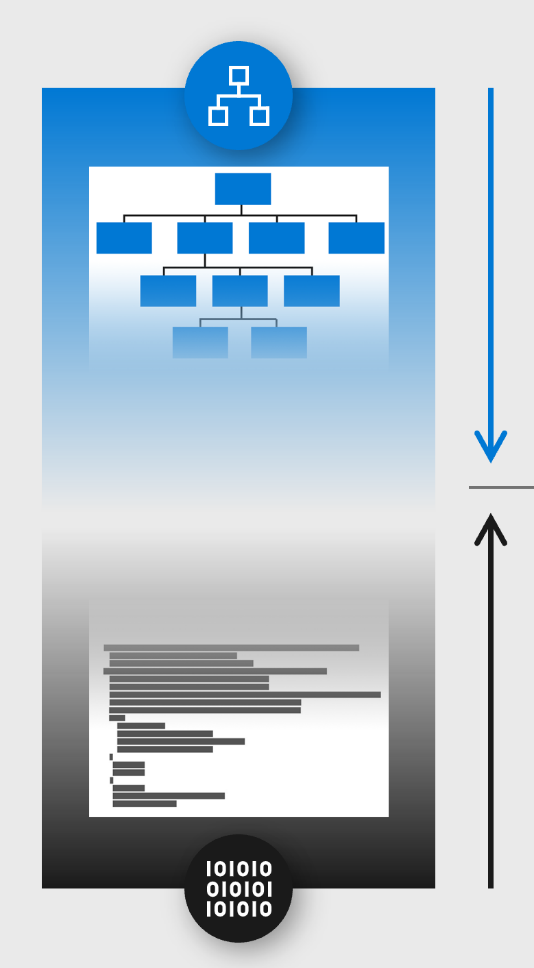
Reduce the count and potential severity of security bugs in your application by implementing security practices and tools during the development lifecycle.
Security bugs can result in an application disclosing confidential data, allowing criminals to alter data/records, or the data/application becoming unavailable for use by customers and employees. Applications will always have some logic errors that can result in security risk, so it is important to discover, evaluate, and correct them to avoid damage to the organization’s reputation, revenue, or margins. It is easier and cheaper to resolve these earlier in the development lifecycle than it is to correct them after application has completed testing, is in production use, or has been breached frequently called “shift left” or “push left” principle.
Mitigating application risk is achieved by integrating security practices and tools into the development lifecycle, often called a secure development lifecycle (SDL or SDLC). Microsoft has published a number of recommendations in a whitepaper entitled Develop Secure Apps on Azure based on Microsoft’s Security Development Lifecycle to mitigate common risks with input and output validation, perform fuzz testing, attack surface reviews, and more.
Top-down approach through threat modeling
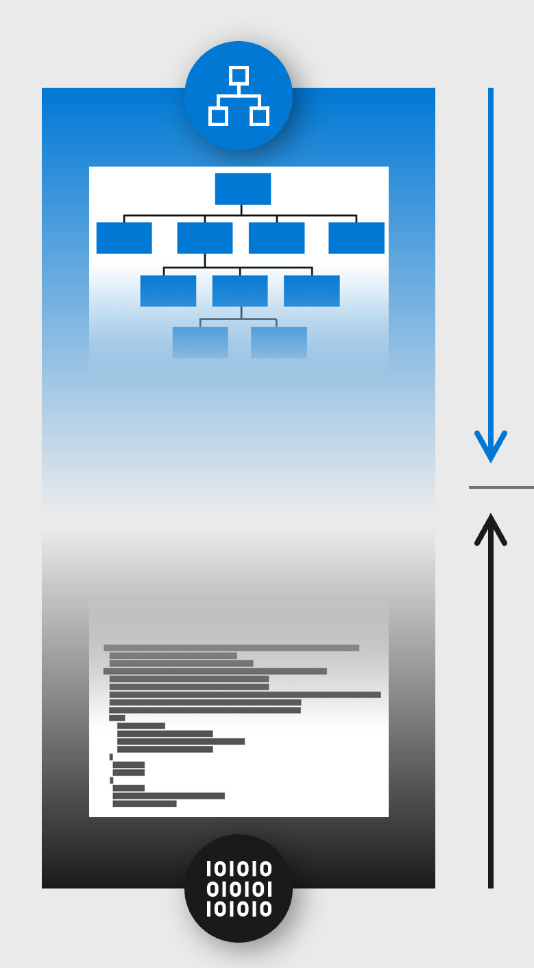
Perform threat modeling on your business-critical applications to discover and mitigate potential risks to your organization.
Threat modeling identifies risks to the application itself as well as risks that application may pose to your enterprise particularly when evaluating individual applications in a larger system.
Threat modeling can be used at any stage of application development or production, but it is uniquely effective for the design stages of new functionality because no real-world data yet exists for that application.
Because threat modeling is a skill intensive exercise, we recommend taking measures to minimize time investment while maximizing security value:
Prioritize by risk - Apply threat modeling first to business-critical applications that would have an outsize impact on the business if compromised
Limit Scope - Perform threat modeling in progressive stages of detail to quickly identify quick wins and actionable mitigations before spending a lot of manual effort:
Start with simple questions method (See Simple questions method) documented below to quickly get insight into risks and whether basic protections are in place
Progressively evaluate Application Design – as resource and expertise are available, move to a more advanced analysis using the STRIDE method Advanced threat modeling techniques or another similar one already used by your team. Start with the architecture level design and progressively increase detail as time and resources allow:
System level design – includes applications and how they interact with each other
Application level – includes components of the application and how they interact with each other
Component level – includes how the individual component is composed and how each element of it interacts with each other
Align with Development lifecycle – Optimize your efforts by aligning threat modeling activities with your application development lifecycles.
Waterfall – ensure major projects should include threat modeling during the design process and during significant updates to the application.
DevOps –Trigger threat modeling activities at a frequency that adds security value without over-burdening the development teams. Good integration points are during the introduction of significant features or changes to the application and a regular recurring calendar schedule for example, every quarter for business-critical applications.
Legacy applications – These applications typically lack support, source code access, and/or expertise in the organization, so perform threat modeling on a best effort basis with what application knowledge/expertise you have available.
Simple questions method
This simple questioning method is designed to get security professionals and developers started on threat modelling before moving on to a more advanced method like STRIDE or OWASP’s method (see, Top-down approach through threat modeling).
For each application or component, ask and answer these questions
Are you authenticating connections using Azure AD, TLS (with mutual authentication), or another modern security protocol approved by your security team? This protects against unauthorized access to the application and data
Between users and the application (if applicable)
Between different application components and services (if applicable)
Do you limit which accounts have access to write or modify data in the application to only those required to do so? This reduces risk of unauthorized data tampering/alteration
Is the application activity logged and fed into a Security Information and Event Management (SIEM) via Azure Monitor or a similar solution? This helps the security team detect attacks and quickly investigate them.
Is business-critical data protected with encryption that has been approved by the security team? This helps protect against unauthorized copying of data while at rest.
Is inbound and outbound network traffic encrypted using TLS? This helps protect against unauthorized copying of data while in transit.
Is the application protected against Distributed Denial of Service (DDoS) attacks using services like Azure DDoS protection, Akamai, or similar? This protects against attacks designed to overload the application so it can’t be used
Does the application store any sign in credentials or keys to access other applications, databases, or services? This helps identify whether an attack can use your application to attack other systems.
Do the application controls allow you to fulfill security and privacy requirements for the localities you operate in? (This helps protect user’s private data and avoid compliance fines)
Important: Security is a complex topic and the potential risks are limited only by the imagination of smart motivated attackers. These questions are designed to help identify readily discoverable gaps that are easily exploited by attackers. As you develop comfort and competencies with this method, you can look to grow your ability to threat model by progressing to advanced threat modelling techniques.
Advanced threat modeling techniques
A more comprehensive threat model can identify more potential risks, two popular techniques are STRIDE and OWASP
Microsoft Security Development Lifecycle has documented a process of threat modeling in and released a free tool to assist with this process
This method evaluates application components and connections/relationships against potential risks, which map to the STRIDE mnemonic:
Spoofing
Tampering
Repudiation
Information Disclosure
Denial of Service
Privilege Elevation
This method can be applied to any level of the design from the high level architectural specific application components.
OWASP – The Open Web Application Security Project (OWASP) has documented a threat modeling approach for applications, which refers to STRIDE and other methods https://www.owasp.org/index.php/Application_Threat_Modeling
Use Web Application Firewalls
Web application firewalls (WAFs) mitigate the risk of an attacker being able to exploit commonly seen security vulnerabilities for applications. While not perfect, WAFs provide a basic minimum level of security for web applications.
WAFs are an important mitigation as attackers target web applications for an ingress point into an organization similar to a client endpoint. WAFs are appropriate for both
Organizations without a strong application security program as it’s a critical safety measure(much like a parachute in a plane. Note that this shouldn’t be the only planned safety mechanism to reduce the volume and severity of security bugs in your applications. For details, see Reduce security bug volume and impact.
Organizations who have invested in application security as WAFs provide a valuable additional defense in-depth mitigation. WAFs in this case act as a final safety mechanism in case a security bug was missed by security practices in the development lifecycle.
Microsoft includes WAF capabilities in Azure Application Gateway and many vendors offer these capabilities as standalone security appliances or as part of next generation firewalls.
Follow best practices for container security
Applications hosted in containers should follow general application best practices as well as some specific guidelines to manage this new application architecture type
Containerized applications face the same risks as any application and also adds new requirements to securely the hosting and management of the containerized applications.
Application containers architectures introduced a new layer of abstraction and management tooling (typically Kubernetes) that have increased developer productivity and adoption of DevOps principles.
While this is an emerging space that is evolving rapidly, several key lessons learned and best practices have become clear:
Use a Kubernetes managed service instead of installing and managing Kubernetes
Kubernetes is a very complex system and still has a number of default settings that are not secure and few Kubernetes security experts in the marketplace. While this has been improving in recent years with each release, there are still a lot of risks that have to be mitigated.Validate container + container supply chain
Just as you should validate the security of any open-source code added to your applications, you should also validate containers you add to your applications.Ensure that the practices applied to building the container are validated against your security standards like application of security updates, scanning for unwanted code like backdoors and illicit crypto coin miners, scanning for security vulnerabilities, and application of secure development practices.
Regularly scan containers for known risks in the container registry, before use, or during use.
Set up registry of known good containers
This allows developers in your organization to use containers validated by security rapidly with low friction. Additionally, build a process for developer to request and rapidly get security validation of new containers to encourage developers to use this process vs. working around it.Don’t run containers as root or administrator unless explicitly required
Early versions of containers required root privileges (which makes attacks easier), but this is no longer required with current versions.Monitor containers
Ensure you deploy security monitoring tools that are container aware to monitor for anomalous behavior and enable investigation of incidents.
Next steps
For additional security guidance from Microsoft, see Microsoft security documentation.
Feedback
Submit and view feedback for