Overview
Rather than binary pass/fail build statuses, GitHub Apps can report rich statuses, annotate lines of code with detailed information, and re-run tests. REST API to manage checks is available exclusively to your GitHub Apps.
For an example of how to use the REST API with a GitHub App, see "Creating CI tests with the Checks API."
About check suites
When someone pushes code to a repository, GitHub creates a check suite for the last commit. A check suite is a collection of the check runs created by a single GitHub App for a specific commit. Check suites summarize the status and conclusion of the check runs that a suite includes.
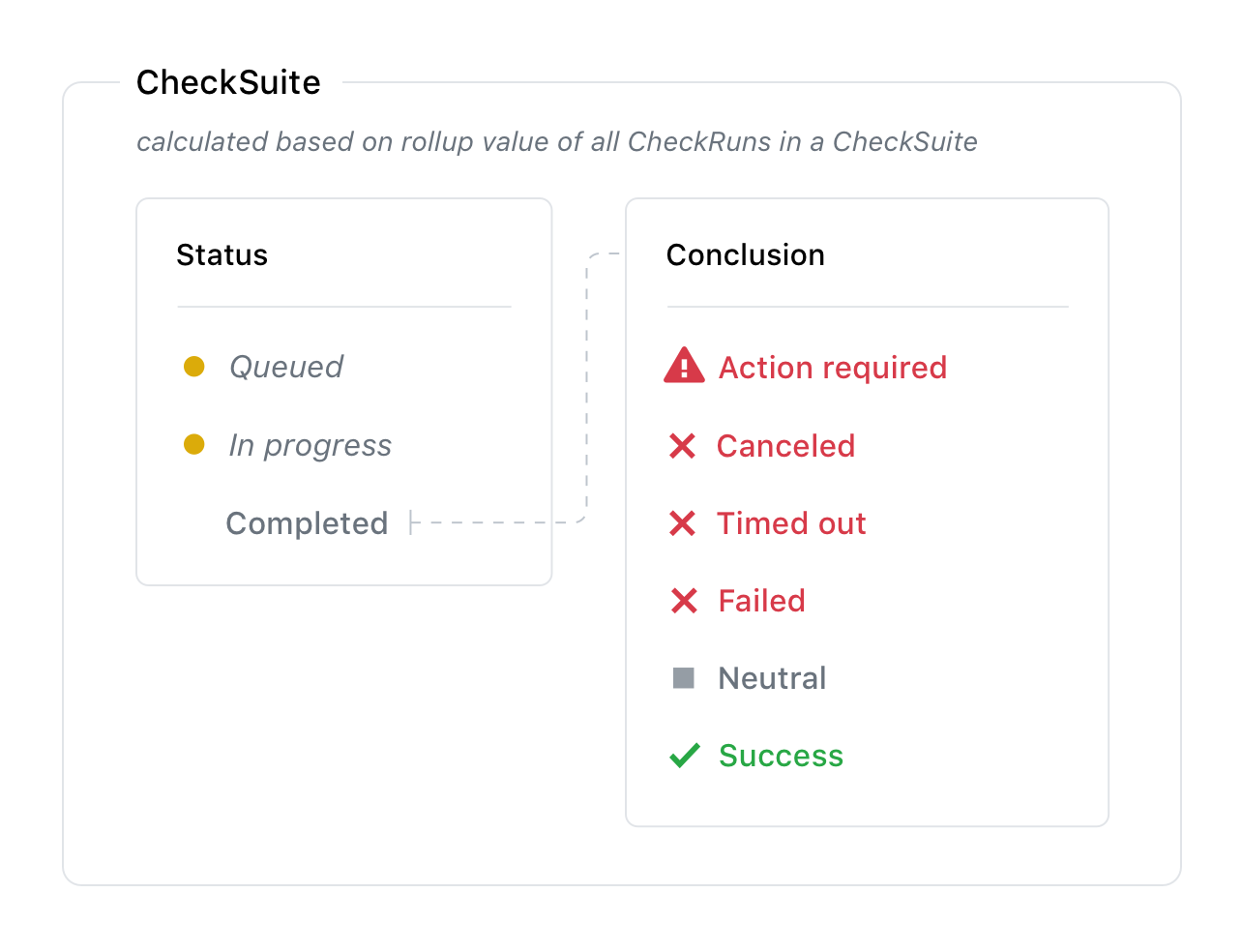
The check suite reports the highest priority check run conclusion in the check suite's conclusion. For example, if three check runs have conclusions of timed_out, success, and neutral the check suite conclusion will be timed_out.
By default, GitHub creates a check suite automatically when code is pushed to the repository. This default flow sends the check_suite event (with requested action) to all GitHub App's that have the checks:write permission. When your GitHub App receives the check_suite event, it can create new check runs for the latest commit. GitHub automatically adds new check runs to the correct check suite based on the check run's repository and SHA.
If you don't want to use the default automatic flow, you can control when you create check suites. To change the default settings for the creation of check suites, use the Update repository preferences for check suites endpoint. All changes to the automatic flow settings are recorded in the audit log for the repository. If you have disabled the automatic flow, you can create a check suite using the Create a check suite endpoint. You should continue to use the Create a check run endpoint to provide feedback on a commit.
Checks API에 대한 쓰기 권한은 GitHub 앱에서만 사용할 수 있습니다. OAuth 앱 및 인증된 사용자는 검사 실행을 보고 제품군을 확인할 수 있지만 만들 수는 없습니다. GitHub 앱을 빌드하지 않는 경우 상태 API에 관심이 있을 수 있습니다.
To use the endpoints to manage check suites, the GitHub App must have the checks:write permission and can also subscribe to the check_suite webhook.
GitHub 앱으로 인증하는 방법에 대한 자세한 내용은 “GitHub 앱에 대한 인증 옵션”을 참조하세요.
About check runs
A check run is an individual test that is part of a check suite. Each run includes a status and conclusion.
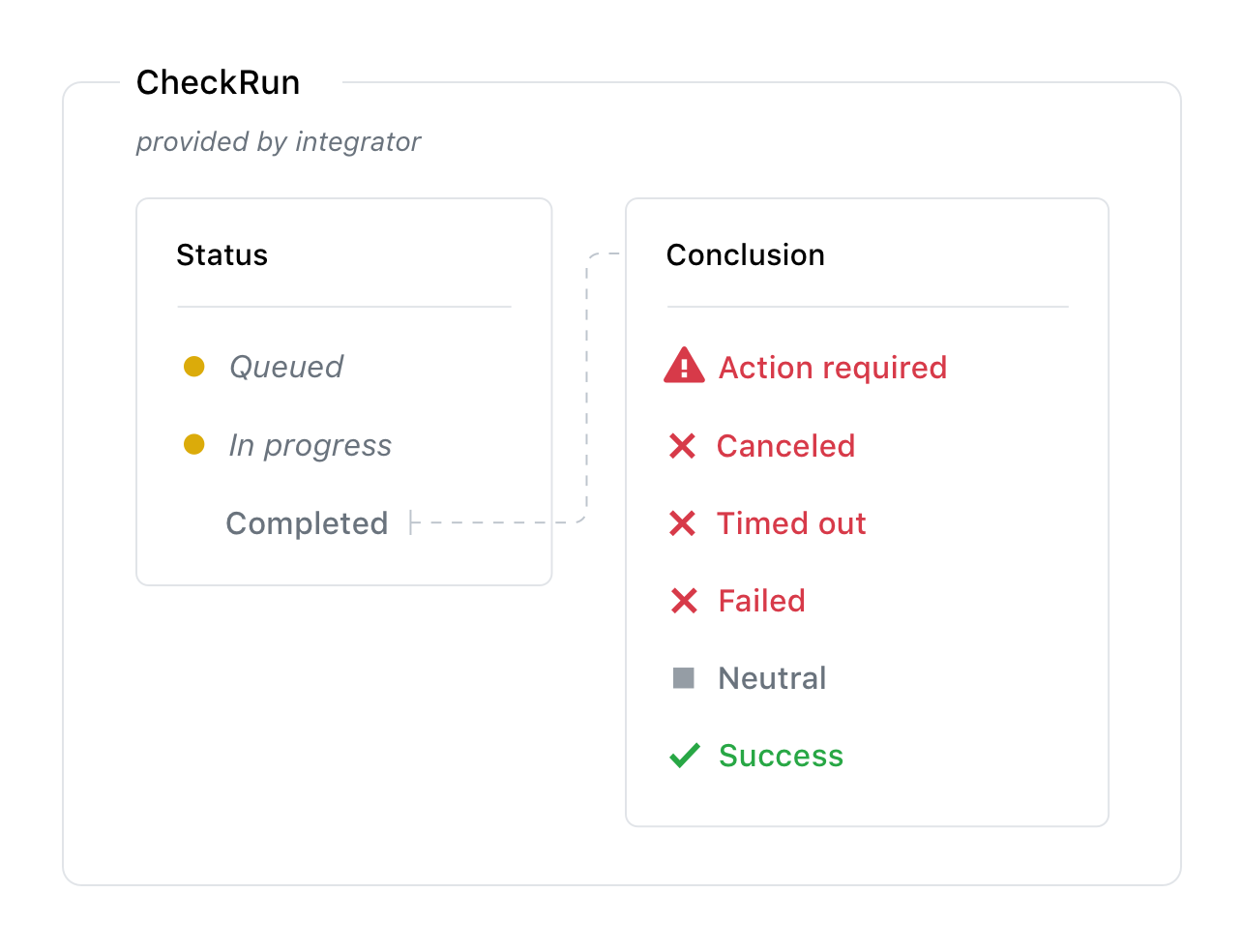
If a check run is in an incomplete state for more than 14 days, then the check run's conclusion becomes stale and appears on GitHub as stale with . Only GitHub can mark check runs as stale. For more information about possible conclusions of a check run, see the conclusion parameter.
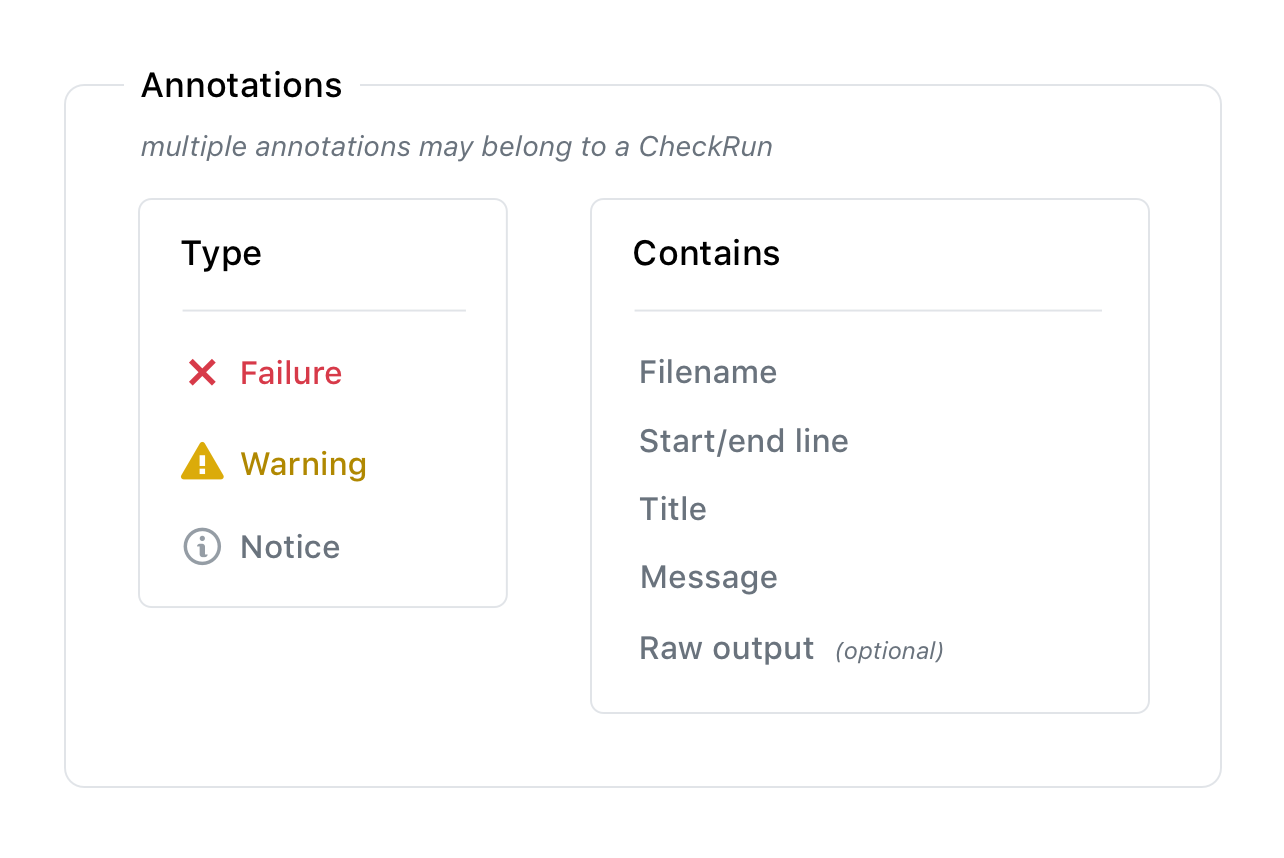
As soon as you receive the check_suite webhook, you can create the check run, even if the check is not complete. You can update the status of the check run as it completes with the values queued, in_progress, or completed, and you can update the output as more details become available. A check run can contain timestamps, a link to more details on your external site, detailed annotations for specific lines of code, and information about the analysis performed.
A check can also be manually re-run in the GitHub UI. See "About status checks" for more details. When this occurs, the GitHub App that created the check run will receive the check_run webhook requesting a new check run. If you create a check run without creating a check suite, GitHub creates the check suite for you automatically.
Checks API에 대한 쓰기 권한은 GitHub 앱에서만 사용할 수 있습니다. OAuth 앱 및 인증된 사용자는 검사 실행을 보고 제품군을 확인할 수 있지만 만들 수는 없습니다. GitHub 앱을 빌드하지 않는 경우 상태 API에 관심이 있을 수 있습니다.
To use the endpoints to manage check runs, the GitHub App must have the checks:write permission and can also subscribe to the check_run webhook.
Check runs and requested actions
When you set up a check run with requested actions (not to be confused with GitHub Actions), you can display a button in the pull request view on GitHub that allows people to request your GitHub App to perform additional tasks.
For example, a code linting app could use requested actions to display a button in a pull request to automatically fix detected syntax errors.
To create a button that can request additional actions from your app, use the actions object when you Create a check run. For example, the actions object below displays a button in a pull request with the label "Fix this." The button appears after the check run completes.
"actions": [{
   "label": "Fix this",
   "description": "Let us fix that for you",
   "identifier": "fix_errors"
 }]

When a user clicks the button, GitHub sends the check_run.requested_action webhook to your app. When your app receives a check_run.requested_action webhook event, it can look for the requested_action.identifier key in the webhook payload to determine which button was clicked and perform the requested task.
For a detailed example of how to set up requested actions with the REST API, see "Creating CI tests with the Checks API."
Retention of checks data
400일보다 오래된 데이터가 보관되어 있는지 검사합니다. 보관 프로세스의 일부로 GitHub는 해당 커밋에 대한 모든 검사의 상태를 나타내는 롤업 커밋 상태를 만듭니다. 결과적으로 필요한 보관된 검사가 있는 끌어오기 요청의 병합 상자는 차단된 상태이며 끌어오기 요청을 병합하기 전에 검사를 다시 실행해야 합니다.