About version updates for dependencies
You enable Dependabotバージョンアップデート by checking a dependabot.yml configuration file in to your repository's .github directory. Dependabot then raises pull requests to keep the dependencies you configure up-to-date. For each package manager's dependencies that you want to update, you must specify the location of the package manifest files and how often to check for updates to the dependencies listed in those files. For information about enabling security updates, see "Configuring Dependabotセキュリティアップデート."
最初にバージョンアップデートを有効にすると、古くなった依存関係が大量にあり、中には最新バージョンまでにいくつものバージョンが存在しているものもあるかもしれません。 Dependabotは、有効化されるとすぐに古くなった依存関係をチェックします。 設定が更新するマニフェストファイルの数に応じて、設定ファイルの追加後数分のうちに、バージョンアップデートの新しいPull Requestが発行されるかもしれません。 Dependabotは、設定ファイルに対するその後の変更に対しても更新を実行します。
Dependabotは、アップデートの失敗後にマニフェストファイルを変更した際にもPull Requestを作成することがあります。 これは、アップデート失敗の原因となった依存関係の削除などのマニフェストへの変更によって、新たにトリガーされたアップデートが成功するかもしれないためです。
Pull Requestを管理可能でレビューしやすく保つために、Dependabotは依存関係を最新バージョンにし始めるためのPull Requestを最大で5つまで発行します。 次にスケジュールされているアップデートの前にこれらの最初のPull Requestの一部をマージした場合、残りのPull Requestは上限まで次のアップデート時にオープンとなります。 open-pull-requests-limit設定オプションを設定することによっても、オープンなPull Requestの最大数を変更できます。 For more information, see "Customizing dependency updates."
セキュリティあるいはバージョンアップデートを実行する際に、エコシステムによってはアップデートが成功したことを検証するためにすべての依存関係をソースから解決できなければならないことがあります。 マニフェストあるいはロックファイルにプライベートの依存関係が含まれているなら、Dependabotはそれらの依存関係がホストされている場所にアクセスできなければなりません。 Organizationのオーナーは、同じOrganization内のプロジェクトに対する依存関係を含むプライベートリポジトリへのアクセス権をDependabotに付与できます。 詳しい情報については「Organizatonのためのセキュリティ及び分析設定の管理」を参照してください。 リポジトリのdependabot.yml設定ファイル中で、プライベートリポジトリへのアクセスを設定できます。 詳しい情報については、「依存関係の更新の設定オプション 」を参照してください。 Additionally, Dependabot doesn't support private GitHub dependencies for all package managers. For more information, see "About Dependabot version updates" and "GitHub language support."
Enabling Dependabotバージョンアップデート
- dependabot.yml 設定ファイルを作成します。 For information, see "Configuration options for the dependabot.yml file."
- Add a
version. - Optionally, if you have dependencies in a private registry, add a
registriessection containing authentication details. - Add an
updatessection, with an entry for each package manager you want Dependabot to monitor. - For each package manager, use:
package-ecosystemto specify the package manager.directoryto specify the location of the manifest or other definition files.schedule.intervalto specify how often to check for new versions.
- リポジトリ内の .github ディレクトリにある
dependabot.yml設定ファイルを確認します。
Example dependabot.yml file
The example dependabot.yml file below configures version updates for two package managers: npm and Docker. When this file is checked in, Dependabot checks the manifest files on the default branch for outdated dependencies. If it finds outdated dependencies, it will raise pull requests against the default branch to update the dependencies.
# Basic dependabot.yml file with
# minimum configuration for two package managers

version: 2
updates:
  # Enable version updates for npm
  - package-ecosystem: "npm"
    # Look for `package.json` and `lock` files in the `root` directory
    directory: "/"
    # Check the npm registry for updates every day (weekdays)
    schedule:
      interval: "daily"

  # Enable version updates for Docker
  - package-ecosystem: "docker"
    # Look for a `Dockerfile` in the `root` directory
    directory: "/"
    # Check for updates once a week
    schedule:
      interval: "weekly"
In the example above, if the Docker dependencies were very outdated, you might want to start with a daily schedule until the dependencies are up-to-date, and then drop back to a weekly schedule.
Enabling version updates on forks
If you want to enable version updates on forks, there's an extra step. Version updates are not automatically enabled on forks when a dependabot.yml configuration file is present. This ensures that fork owners don't unintentionally enable version updates when they pull changes including a dependabot.yml configuration file from the original repository.
On a fork, you also need to explicitly enable Dependabot.
- GitHub.comで、リポジトリのメインページにアクセスしてください。
- リポジトリ名の下で Insights(インサイト)をクリックしてください。

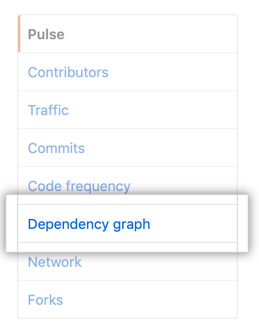
- 左のサイドバーでDependency graph(依存関係グラフ)をクリックしてください。
- "Dependency graph(依存関係グラフ)"の下で、Dependabotをクリックしてください。
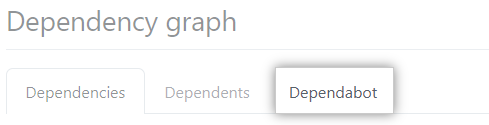
- Under "Enable Dependabot", click Enable Dependabot.
Checking the status of version updates
After you enable version updates, the Dependabot tab in the dependency graph for the repository is populated. This tab shows which package managers Dependabot is configured to monitor and when Dependabot last checked for new versions.
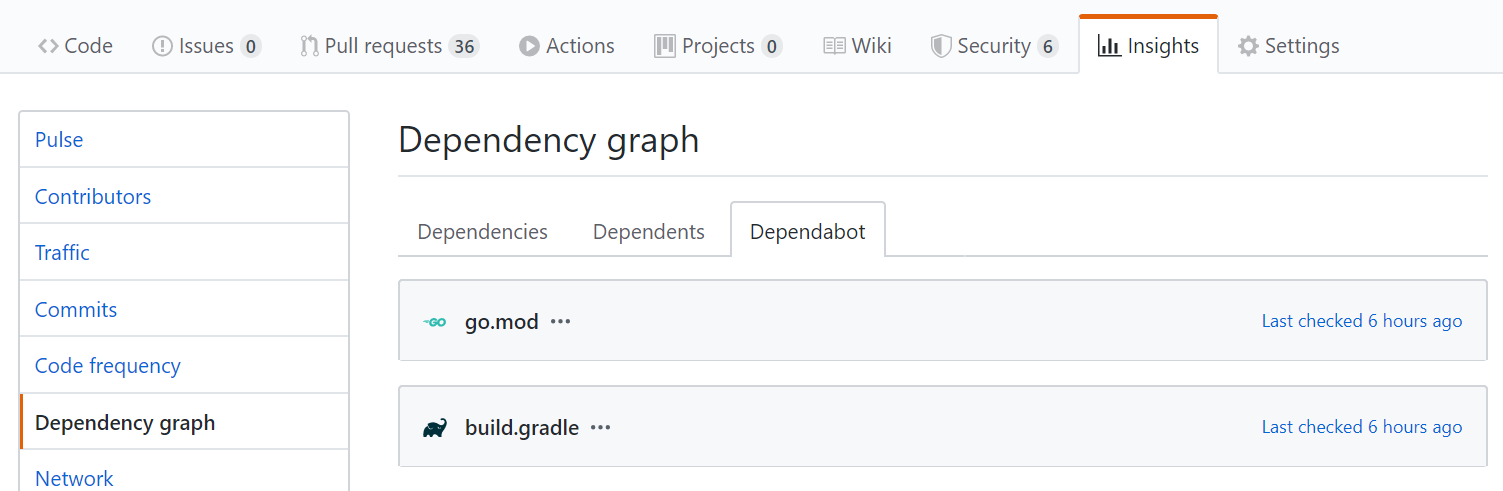
For information, see "Listing dependencies configured for version updates."
Disabling Dependabotバージョンアップデート
You can disable version updates entirely by deleting the dependabot.yml file from your repository. More usually, you want to disable updates temporarily for one or more dependencies, or package managers.
- Package managers: disable by setting
open-pull-requests-limit: 0or by commenting out the relevantpackage-ecosystemin the configuration file. - Specific dependencies: disable by adding
ignoreattributes for packages or applications that you want to exclude from updates.
When you disable dependencies, you can use wild cards to match a set of related libraries. You can also specify which versions to exclude. This is particularly useful if you need to block updates to a library, pending work to support a breaking change to its API, but want to get any security fixes to the version you use.
Example disabling version updates for some dependencies
The example dependabot.yml file below includes examples of the different ways to disable updates to some dependencies, while allowing other updates to continue.
# dependabot.yml file with updates
# disabled for Docker and limited for npm

version: 2
updates:
  # Configuration for Dockerfile
  - package-ecosystem: "docker"
    directory: "/"
    schedule:
      interval: "weekly"
      # Disable all pull requests for Docker dependencies
    open-pull-requests-limit: 0

  # Configuration for npm
  - package-ecosystem: "npm"
    directory: "/"
    schedule:
      interval: "daily"
    ignore:
      # Ignore updates to packages that start with 'aws'
      # Wildcards match zero or more arbitrary characters
      - dependency-name: "aws*"
      # Ignore some updates to the 'express' package
      - dependency-name: "express"
        # Ignore only new versions for 4.x and 5.x
        versions: ["4.x", "5.x"]
      # For all packages, ignore all patch updates
      - dependency-name: "*"
        update-types: ["version-update:semver-patch"]
For more information about checking for existing ignore preferences, see "Configuration options for the dependabot.yml file."