Tips:
- By default, file finder results exclude some directories like
build,log,tmp, andvendor. To search for files in these directories, use thefilenamecode search qualifier. Alternatively, you can customize which directories are excluded by default using a.gitattributesfile. - You can also open the file finder by pressing
ton your keyboard. For more information, see "Keyboard shortcuts."
Using the file finder
- On GitHub.com, navigate to the main page of the repository.
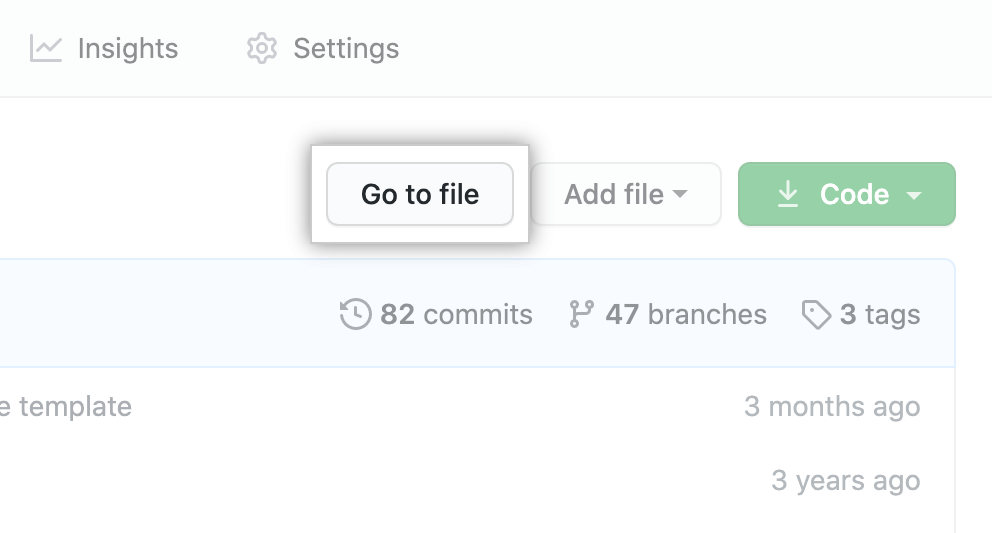
- Above the list of files, click Go to file.
- In the search field, type the name of the file you'd like to find.

- In the list of results, click the file you wanted to find.
Customizing excluded files
By default, file finder results do not include files in the following directories if they exist at your repository root:
.git.hg.sass-cache.svnbuilddot_gitlogtmpvendor
You can override these default exclusions using a .gitattributes file.
To do this, create or update a file called .gitattributes in your repository root, setting the linguist-generated attribute to false for each directory that should be included in file finder results.
For example, the following .gitattributes file would cause files in the build/ directory to be available to the file finder:
build/** linguist-generated=false
Note that this override requires the use of the recursive glob pattern (**). For more information, see "pattern format" in the Git documentation. More complex overrides of subdirectories within excluded-by-default directories are not supported.
Further reading
- "About searching on GitHub"
- "Customizing how changed files appear on GitHub"
.gitattributesin the Git documentation