Finding your personal account's next billing date
-
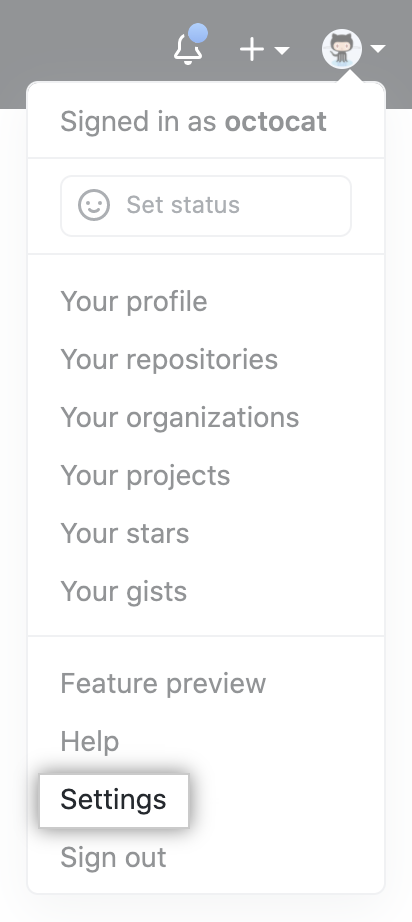
In the upper-right corner of any page, click your profile photo, then click Settings.
-
In the "Access" section of the sidebar, click Billing and plans.
-
At the top of the page, under "Next payment due", review when your next payment is due.

Finding your organization's next billing date
Organization owners and billing managers can access or change billing settings for an organization.
-
In the upper-right corner of any page, click your profile photo, then click Settings.
-
In the "Access" section of the sidebar, click Organizations.
-
Next to the organization, click Settings.

-
If you are an organization owner, in the "Access" section of the sidebar, click Billing and plans.
-
At the top of the page, under "Next payment due", review when your next payment is due.
