Note: Push protection for users is currently in beta and subject to change.
About push protection for users
With push protection for users, you can enable push protection for yourself, so that no matter which public repository you push to, you will be protected. Additionally, if you are a repository administrator, or an organization owner, you can enable push protection for your repository or organization, respectively. For more information, see "Push protection for repositories and organizations."
If push protection is not enabled for the repository you are pushing to, but you have push protection for yourself enabled, no alerts will be created after you push a secret. However, if the bypassed secret is a GitHub token, the token will be revoked and you will be notified by email.
For information on the secrets and service providers supported for push protection, see "secret scanning パターン."
Enabling push protection for yourself
You can enable push protection for yourself through your personal account settings.
-
任意のページで、右上隅にあるプロファイルの画像をクリックし、次に[設定]をクリックします。
![GitHub のアカウント メニューのスクリーンショット。ユーザーがプロファイル、コンテンツ、設定を表示および編集するためのオプションが表示されています。 メニュー項目 [設定] が濃いオレンジ色の枠線で囲まれています。](/web/20230831185927im_/https://docs.github.com/assets/cb-65929/images/help/settings/userbar-account-settings.png)
-
サイドバーの [セキュリティ] セクションで、 [コードのセキュリティと分析] をクリックします。
-
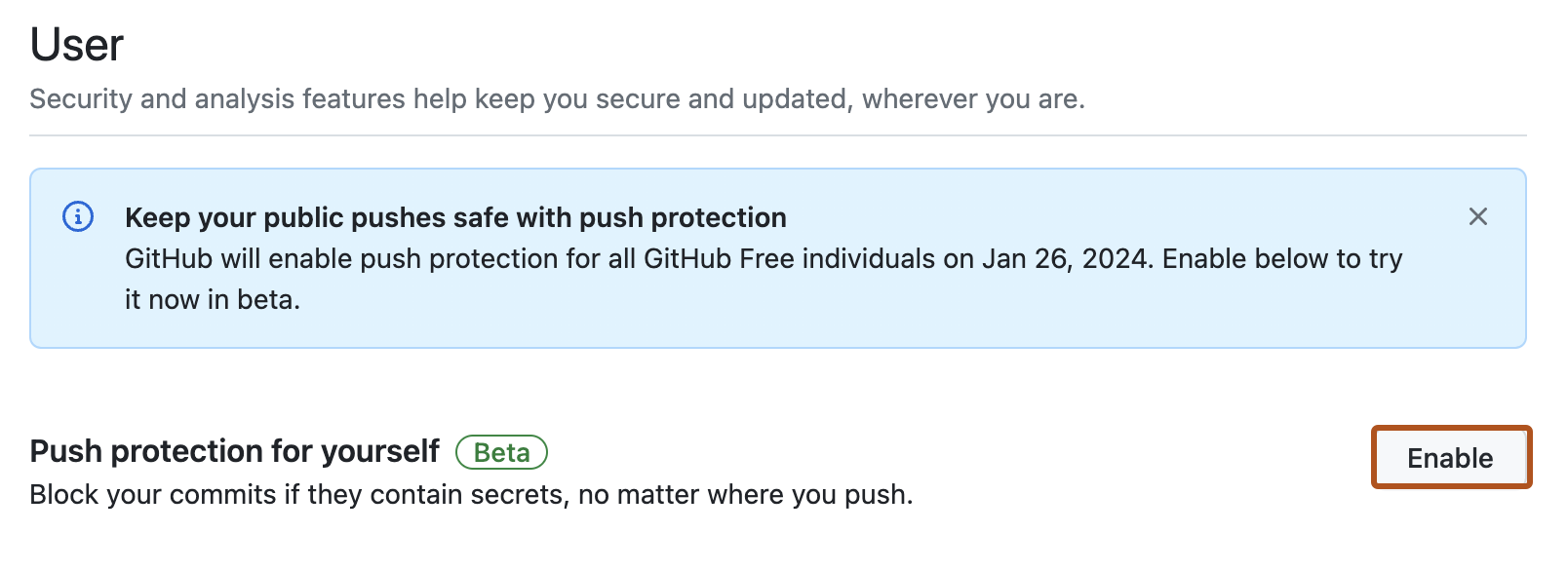
Under "User", to the right of "Push protection for yourself", click Enable.
![GitHub のアカウント メニューのスクリーンショット。ユーザーがプロファイル、コンテンツ、設定を表示および編集するためのオプションが表示されています。 メニュー項目 [設定] が濃いオレンジ色の枠線で囲まれています。](/web/20230831185927im_/https://docs.github.com/assets/cb-65929/mw-1440/images/help/settings/userbar-account-settings.webp)
