Note: Dependabot auto-triage rules are currently in beta and are subject to change.
Managing automatically dismissed alerts
Note: The Dependabot alerts page defaults to showing open alerts. To filter and view auto-dismissed alerts, you must first clear the is:open default filter from the view.
-
GitHub.com で、リポジトリのメイン ページへ移動します。
-
リポジトリ名の下にある [ セキュリティ] をクリックします。 [セキュリティ] タブが表示されない場合は、 [] ドロップダウン メニューを選び、 [セキュリティ] をクリックします。
![タブを示すリポジトリ ヘッダーのスクリーンショット。 [セキュリティ] タブが濃いオレンジ色の枠線で強調表示されています。](/web/20231123151309im_/https://docs.github.com/assets/cb-17804/images/help/repository/security-tab.png)
-
To filter to see all closed alerts, click Closed. Alternatively, use the
is:closedfilter query in the search bar.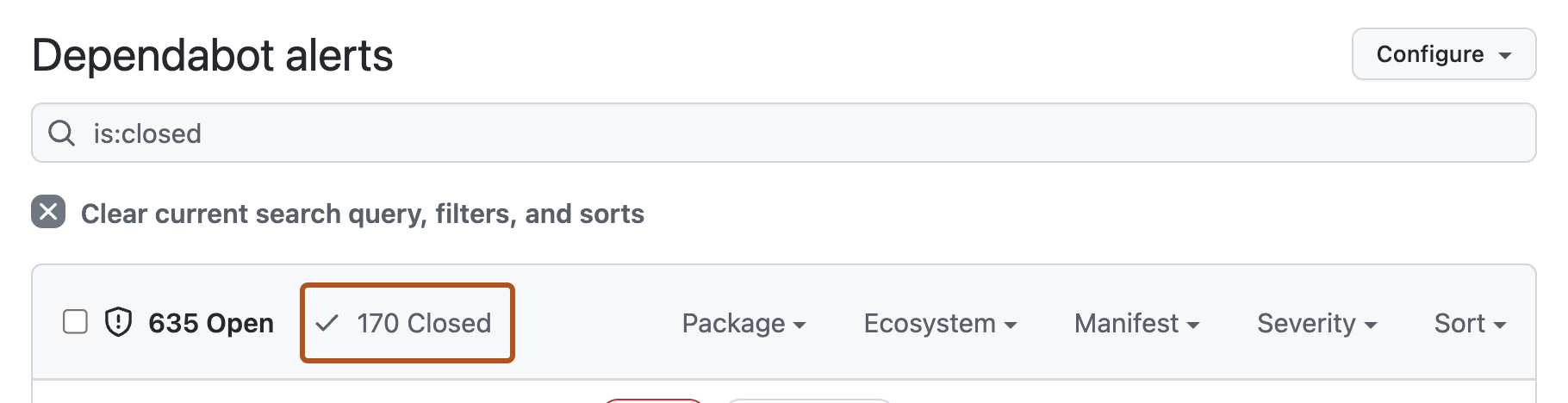
-
To see all auto-dismissed alerts, select Closed as, then in the dropdown menu, click Auto-dismissed.

-
To reopen an auto-dismissed alert, to the left of the alert title, click the checkbox adjacent to the alert, then click Reopen.

![タブを示すリポジトリ ヘッダーのスクリーンショット。 [セキュリティ] タブが濃いオレンジ色の枠線で強調表示されています。](/web/20231123151309im_/https://docs.github.com/assets/cb-17804/mw-1440/images/help/repository/security-tab.webp)


